Key Takeaways
- Stacker is a no-code platform for building apps and portals.
- It turns your data into customer portals and internal tools.
- It connects to sources like Airtable, Google Sheets, and databases.
- Great for teams building data apps without developers.
Stacker lets teams turn their data into real applications — customer portals, client apps, internal tools — without writing code. Connect a data source like Airtable or a database, and Stacker builds an interface with the right permissions, so customers or staff can view and act on data safely. For operations, client-services, and business teams that need custom apps but lack developer resources, Stacker is a practical no-code choice, now with AI assisting the building.
What is Stacker?
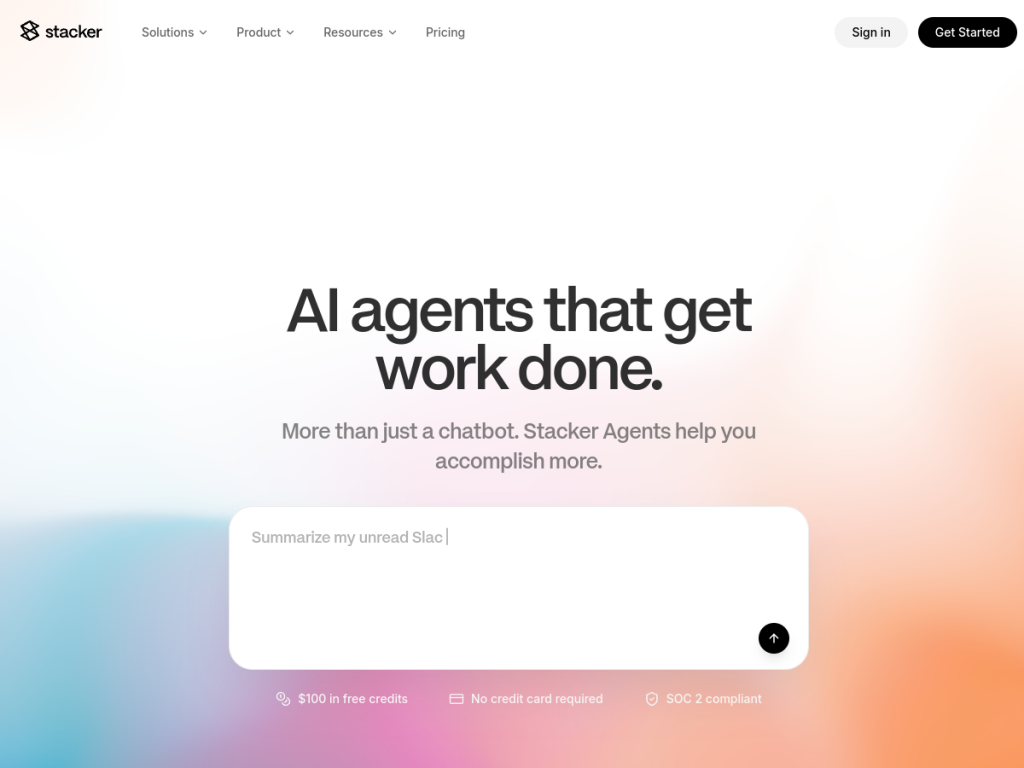
Stacker (at stacker.ai) is a no-code application-building platform that lets teams create custom software — particularly customer/client portals and internal business tools — on top of their existing data. Users connect data sources (such as Airtable, Google Sheets, and databases), and Stacker turns that data into interactive applications with interfaces, forms, and workflows, plus a permissions layer that controls what different users (customers, partners, staff) can see and do. This makes it well suited to building secure external portals (giving clients a place to view their information, submit requests, or track progress) and internal apps (dashboards, CRMs, operational tools) without engineering. It has incorporated AI to assist the app-building process, helping generate or configure apps more easily. Its value is speed and accessibility: business teams can build the tools they need directly, rather than waiting on developers or wrestling with spreadsheets. It targets operations teams, client-services teams, small and medium businesses, and departments needing custom apps. Stacker offers tiered plans for teams and businesses.
What it does well
- Data into apps: portals and internal tools, no code.
- Permissions layer: safe external and internal access.
- Connects your data: Airtable, Sheets, and databases.
- AI-assisted building: configure apps more easily.
Who it is for
Stacker fits operations teams, client-services teams, small and medium businesses, and departments that need custom apps — customer portals, client-facing tools, internal dashboards and CRMs — built on their existing data without developers, with a permissions layer to control access safely. Its no-code, portal-building focus is the draw for non-technical teams. Those needing highly custom, complex software will still want developers, it is a paid platform priced by tier, and AI-assisted building still benefits from thoughtful setup. For building data apps and portals without code, Stacker is a capable choice.
Things to keep in mind
- Highly custom or complex software still needs developers.
- It is a paid platform priced by tier.
- Data connections and permissions need thoughtful setup.
Our verdict
Stacker is a practical no-code platform for turning your data into real applications — customer and client portals, internal tools, dashboards — without writing code. Connect a source like Airtable or a database, and it builds interfaces, forms, and workflows with a permissions layer that controls what customers, partners, and staff can see and do, which makes it especially good for secure portals. AI now assists the building. For operations and client-services teams that need custom apps but lack developer resources, that is real capability unlocked. Complex software still needs developers and it is priced by tier, but for no-code data apps and portals, Stacker is a solid choice.
Frequently asked questions
What is Stacker?
Stacker is a no-code platform for building custom apps — especially customer portals and internal tools — on top of your existing data, with a permissions layer, and AI-assisted building.
What data sources does Stacker connect to?
It connects to sources such as Airtable, Google Sheets, and databases, turning that data into interactive applications.
What can I build with Stacker?
Customer and client portals, internal dashboards and CRMs, operational tools, and forms — with controlled access for customers, partners, and staff.
How is Stacker priced?
Stacker offers tiered plans for teams and businesses; see the site for current pricing.
Top Stacker alternatives
Other hand-reviewed No-Code tools worth comparing against Stacker.
10WebPaid
10Web is a paid AI no code and website builder tool for founders and small businesses. Our review…
AdaloPaid
Adalo is a paid AI no code and website builder tool for non-technical builders. Our review covers what…
Bravo StudioFreemium
Bravo Studio is a freemium AI no code and website builder tool for non-technical builders. Our review covers…
BubbleFreemium
Bubble is a freemium AI business and no code tool for non-technical builders. Our review covers what it…
FlutterFlowPaid
FlutterFlow is a paid AI no code and website builder tool for founders and small businesses. Our review…
Framer AIFreemium
Framer AI is a freemium AI business and design tool for founders and small businesses. Our review covers…
Are you the maker of Stacker?
Show visitors this review with the badge below. Copy the code into your site or press kit; it links straight back to this page.



