Key Takeaways
- Tableau is a leading data visualization and analytics platform.
- Its AI (Tableau AI / Einstein) adds insights and natural-language analytics.
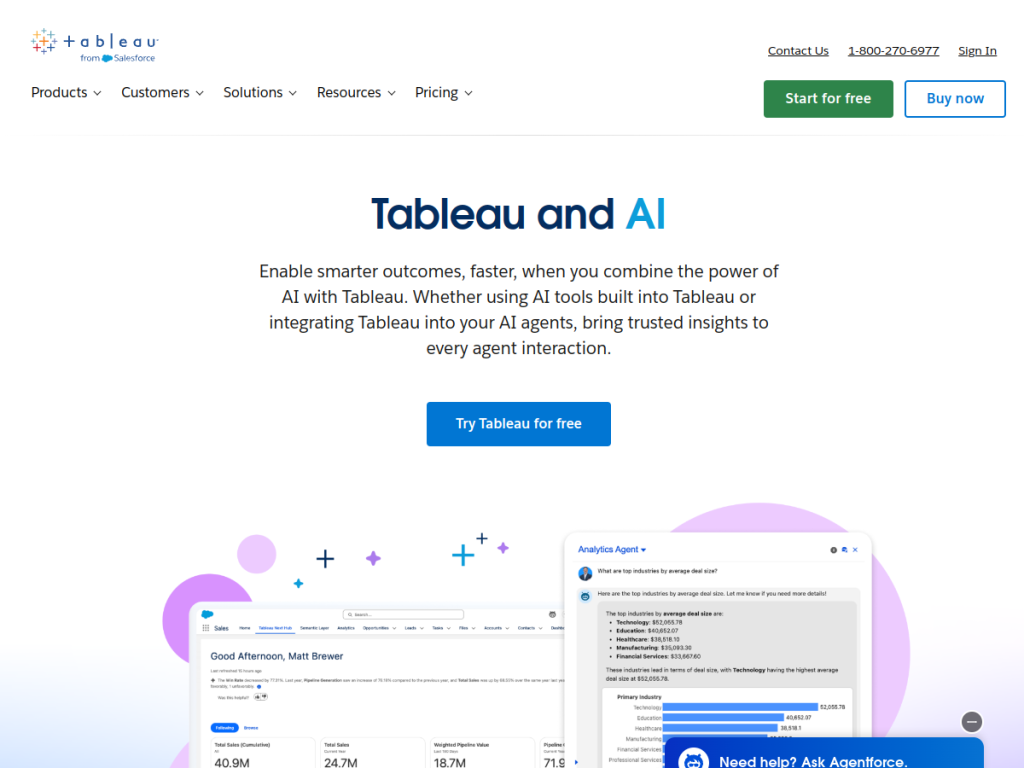
- Tableau Pulse and Agentforce bring proactive, conversational analytics.
- Great for organizations analyzing and visualizing data with AI.
Tableau is one of the most popular data visualization and analytics platforms, used by organizations worldwide to turn data into interactive dashboards and insights. Now part of Salesforce, it has layered in AI — Tableau AI, powered by Einstein — to surface insights automatically, let users ask questions in natural language, and deliver proactive, personalized metrics through Tableau Pulse. For teams that want powerful analytics enhanced by AI, Tableau is a leading choice.
What is Tableau AI?
Tableau is a data visualization and analytics platform (part of Salesforce) that helps people see and understand data through interactive dashboards and visualizations. Its AI capabilities, delivered as Tableau AI and powered by Einstein, include smart, AI-generated insights and explanations, natural-language interaction (asking questions of your data in plain language), and Tableau Pulse, which proactively delivers personalized, plain-language metric insights and summaries to users. It increasingly incorporates conversational and agentic analytics (via Agentforce in Tableau) so users can explore data and get answers more easily. Its core platform covers connecting to many data sources, building rich visualizations and dashboards, and sharing insights across an organization, with governance and enterprise scale. Tableau is a paid platform (with a free trial), and its AI capabilities come through Tableau/Einstein; pricing is via Salesforce/Tableau.
What it does well
- Powerful visualization: rich, interactive dashboards.
- AI insights: automatic explanations and analysis.
- Natural language: ask questions of your data.
- Proactive metrics: Tableau Pulse summaries.
Who it is for
Tableau fits organizations, data analysts, and business users who need powerful data visualization and analytics — building interactive dashboards and exploring data — now enhanced with AI that surfaces insights, answers natural-language questions, and delivers proactive metrics via Tableau Pulse. Its scale and governance suit enterprises. Small teams wanting a simple, cheap dashboard may find it heavier than necessary, and it takes some skill and is a paid platform, but for powerful, AI-enhanced analytics and visualization, Tableau is a leading choice with a free trial.
Things to keep in mind
- It is a paid, capable platform with a learning curve.
- AI insights should be reviewed and understood in context.
- Full value grows within the Salesforce/Tableau ecosystem.
Our verdict
Tableau is a leading data visualization and analytics platform, and its AI additions make its power more accessible: Tableau AI (powered by Einstein) surfaces automatic insights and explanations, lets users ask questions of their data in natural language, and — through Tableau Pulse — delivers proactive, plain-language metric summaries, with conversational analytics via Agentforce. For organizations and analysts building dashboards and exploring data, that combination is compelling. It has a learning curve and is a paid platform, but for powerful, AI-enhanced analytics and visualization, Tableau is an excellent choice with a free trial.
Frequently asked questions
What is Tableau AI?
Tableau AI is the AI layer of Tableau (powered by Einstein) that surfaces automatic insights, enables natural-language questions of your data, and delivers proactive metrics via Tableau Pulse.
What is Tableau Pulse?
Tableau Pulse proactively delivers personalized, plain-language metric insights and summaries to users, so they get relevant analytics without building everything manually.
Is Tableau free?
Tableau is a paid platform with a free trial; its AI capabilities come via Tableau/Einstein, and pricing is via Salesforce/Tableau.
Who is Tableau for?
It is for organizations, data analysts, and business users who want powerful data visualization and analytics enhanced with AI insights and natural-language exploration.
Top Tableau AI alternatives
Other hand-reviewed Data Analysis tools worth comparing against Tableau AI.
AlteryxPaid
Alteryx is a paid AI business and data analysis tool for business teams. Our review covers what it…
Bloomberg Terminal AIEnterprise
Bloomberg Terminal AI is an enterprise AI business and data analysis tool for finance professionals. Our review covers…
DatabricksPaid
Databricks is a paid AI business and data analysis tool for business teams. Our review covers what it…
DataikuPaid
Dataiku is a paid AI business and data analysis tool for business teams. Our review covers what it…
DatarailsPaid
Datarails is a paid AI business and data analysis tool for finance professionals. Our review covers what it…
DataRobotPaid
DataRobot is a paid AI business and data analysis tool for business teams. Our review covers what it…
Are you the maker of Tableau AI?
Show visitors this review with the badge below. Copy the code into your site or press kit; it links straight back to this page.



