Key Takeaways
- Tactiq is an AI meeting assistant that transcribes calls in real time.
- It works in Google Meet, Zoom, and Teams without a bot joining the call.
- It generates summaries, action items, and answers via custom AI prompts.
- Great for meeting notes and follow-ups; bot-free capture is a nice touch.
Tactiq is an AI note-taker that quietly captures your meetings as they happen. Instead of sending a bot to sit in your call, it runs as a browser extension and transcribes in real time across the major meeting platforms — then turns that transcript into summaries, action items, and answers you can ask for, so nothing important slips away.
What is Tactiq?
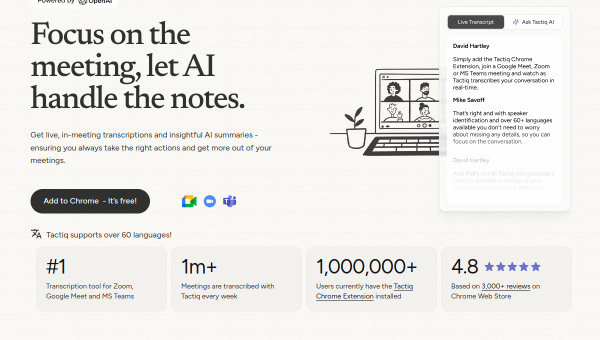
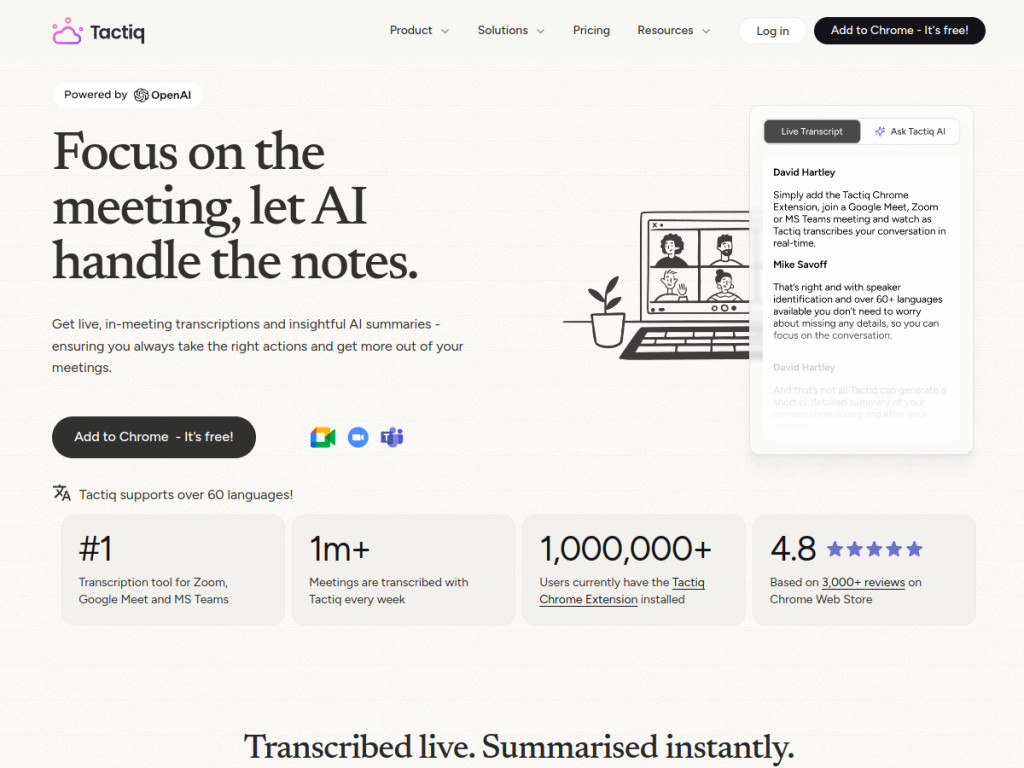
Tactiq is an AI-powered meeting assistant that transcribes meetings in real time across Google Meet, Zoom, and Microsoft Teams — notably without requiring a bot to join the call, which many people prefer. It provides live transcription in 60-plus languages with speaker identification, generates AI summaries automatically during or after meetings, extracts action items for clear task assignment, and lets you use custom AI prompts to ask questions about the meeting content. It also automates workflows by integrating with tools like Slack, Linear, HubSpot, and Notion, so notes and tasks flow where your team works. Tactiq reports large-scale use — over a million meetings transcribed weekly and a million-plus Chrome extension users — and carries enterprise credentials including SOC 2 Type II, GDPR, and HIPAA. It offers a free Chrome extension to start, with paid plans for more.
What it does well
- Bot-free capture: transcribes without a bot joining your call.
- Real-time transcription: live, multilingual, with speaker labels.
- Summaries and actions: automatic recaps and extracted tasks.
- Workflow integrations: pushes notes to Slack, Notion, HubSpot, and more.
Who it is for
Tactiq fits professionals and teams who spend time in online meetings and want automatic, accurate notes, summaries, and action items — especially those who prefer a bot-free approach and want notes flowing into their existing tools. It is handy for managers, sales, and anyone juggling many calls. Those with few meetings may not need it, and recording still warrants attention to consent, but for meeting-heavy work, Tactiq is a capable, popular choice with a free extension to start.
Things to keep in mind
- Transcribing meetings still requires attention to consent and etiquette.
- AI summaries and action items should be checked for important calls.
- More transcripts and advanced AI features require paid plans.
Our verdict
Tactiq is a strong AI meeting assistant, and its bot-free, real-time transcription across Meet, Zoom, and Teams is a genuinely nice touch for anyone who dislikes a bot appearing in the call. Automatic summaries, action items, custom AI prompts, and integrations that push notes into Slack and Notion make it practical for busy teams. Recording deserves care around consent and AI notes warrant a check on important calls, but for capturing and acting on meetings, Tactiq is an excellent, widely used choice with a free extension to try.
Frequently asked questions
What is Tactiq?
Tactiq is an AI meeting assistant that transcribes Google Meet, Zoom, and Teams calls in real time — without a bot joining — and generates summaries, action items, and answers.
Does Tactiq need a bot to join meetings?
No. Tactiq runs as a browser extension and transcribes in real time without sending a bot into the call, which many users prefer.
Is Tactiq free?
Yes, Tactiq offers a free Chrome extension to start with limited transcripts, and paid plans add more transcriptions, AI features, and integrations.
What can Tactiq integrate with?
It integrates with tools like Slack, Linear, HubSpot, and Notion, so meeting notes and action items flow into your team’s workflow.
Top Tactiq alternatives
Other hand-reviewed AI Meeting Assistants tools worth comparing against Tactiq.
CirclebackFree Trial
Circleback is a free trial AI meeting tool. Our hands-on review covers features, pricing, pros and cons, and…
FellowFree
Fellow is a free AI meeting tool. Our hands-on review covers features, pricing, pros and cons, and who…
GrainFreemium
Grain is a freemium AI meeting tool. Our hands-on review covers features, pricing, pros and cons, and who…
JamiePaid
Jamie is a paid AI meeting tool. Our hands-on review covers features, pricing, pros and cons, and who…
LaxisFree
Laxis is a free AI meeting tool. Our hands-on review covers features, pricing, pros and cons, and who…
SemblyFree Trial
Sembly is a free trial AI meeting tool. Our hands-on review covers features, pricing, pros and cons, and…
Are you the maker of Tactiq?
Show visitors this review with the badge below. Copy the code into your site or press kit; it links straight back to this page.