Key Takeaways
- Laxis is an AI meeting assistant that captures and summarizes conversations.
- It transcribes meetings and turns them into summaries and action items.
- It adds a voice keyboard, AI chat over meetings, and CRM automation.
- Great for sales, consultants, and teams who want AI notes and follow-up.
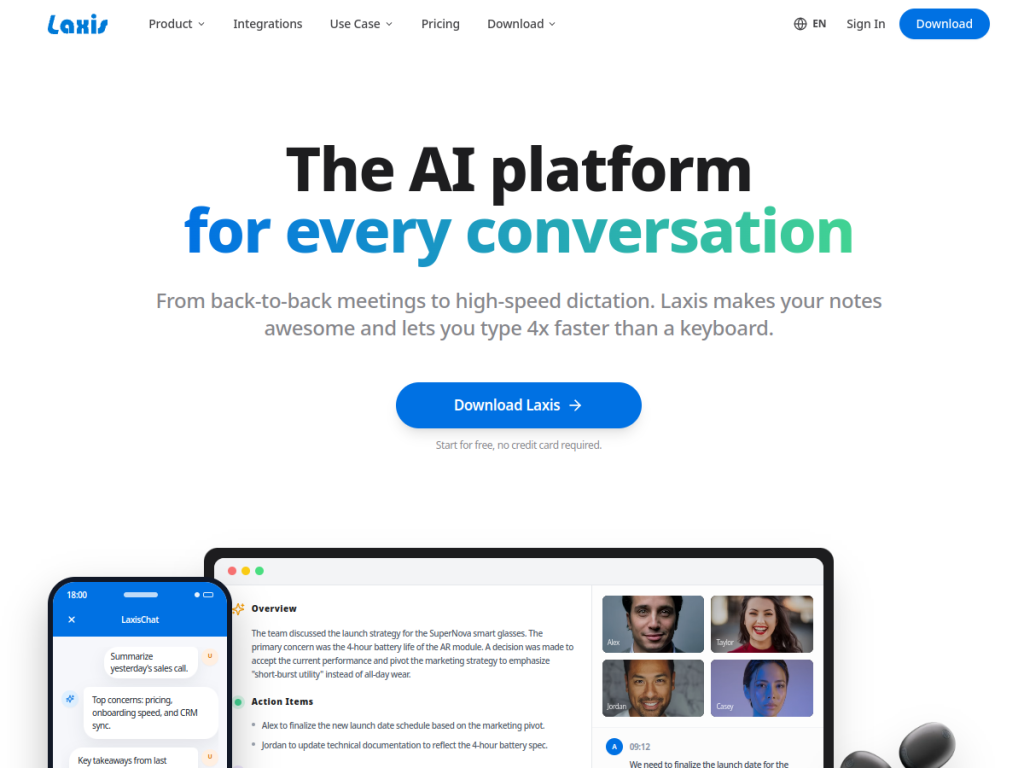
Laxis is an AI meeting assistant built to make professional conversations more productive. It captures and transcribes your meetings, then turns them into structured summaries, key decisions, and action items — and lets you query your meeting history with AI. With a voice keyboard for fast dictation and CRM automation for follow-up, it is especially handy for sales teams and consultants who live in back-to-back conversations.
What is Laxis?
Laxis is an AI platform designed to enhance professional conversations, functioning as a meeting assistant that captures and transcribes conversations and transforms them into structured summaries, action items, and insights. Its features include meeting capture (bot-free recording, AI-assistant integration, and file uploads), AI-generated summaries with key decisions and action items, an AI chat to query across your meeting history for facts and decisions, and a Voice Keyboard that lets you dictate to type much faster across apps like Slack, Gmail, and Teams, with Verbal Cleanup to remove filler words. It offers automation that syncs with CRM tools (HubSpot, Salesforce), Slack, Zapier, and Notion, plus team features like collaborative workspaces, real-time AI guidance, and trend analysis. Laxis is free to download with limits, and paid plans add more usage and features.
What it does well
- Meeting capture: transcribe and summarize conversations.
- AI chat: query your meeting history for facts and decisions.
- Voice keyboard: dictate faster with filler-word cleanup.
- CRM automation: sync notes to HubSpot, Salesforce, and more.
Who it is for
Laxis fits sales professionals, consultants, recruiters, and client-facing teams who have many meetings and want AI to capture, summarize, and follow up on them — syncing insights and action items into a CRM automatically. Its voice keyboard and real-time guidance suit those who dictate a lot or want in-meeting help. Those who rarely meet, or who prefer a simple built-in notetaker, may not need it, and AI summaries should be reviewed, but for turning professional conversations into structured notes and CRM-ready follow-up, Laxis is a capable, free-to-start choice.
Things to keep in mind
- AI summaries and transcripts should be reviewed for accuracy.
- More usage and advanced features require paid plans.
- The most value comes when connected to your CRM and workflow.
Our verdict
Laxis is a capable AI meeting assistant, and its focus on professional conversations shows: it captures and transcribes meetings, generates summaries with key decisions and action items, lets you chat with your meeting history, and syncs everything into CRMs like HubSpot and Salesforce. A voice keyboard with filler-word cleanup and real-time AI guidance add extra productivity for sales and client-facing roles. AI summaries need review and richer features are paid, but for turning meetings into structured notes and automated follow-up, Laxis is a solid, free-to-start choice.
Frequently asked questions
What is Laxis?
Laxis is an AI meeting assistant that captures and transcribes conversations, generates summaries and action items, offers AI chat over your meetings, and syncs notes into CRMs.
What is the Laxis Voice Keyboard?
It is a feature that lets you dictate to type much faster across apps like Slack, Gmail, and Teams, with Verbal Cleanup to remove filler words.
Does Laxis integrate with CRMs?
Yes, Laxis automates syncing meeting insights and action items to CRM tools like HubSpot and Salesforce, plus Slack, Zapier, and Notion.
Is Laxis free?
Laxis is free to download with limits, and paid plans add more usage and features.
Top Laxis alternatives
Other hand-reviewed AI Meeting Assistants tools worth comparing against Laxis.
CirclebackFree Trial
Circleback is a free trial AI meeting tool. Our hands-on review covers features, pricing, pros and cons, and…
FellowFree
Fellow is a free AI meeting tool. Our hands-on review covers features, pricing, pros and cons, and who…
GrainFreemium
Grain is a freemium AI meeting tool. Our hands-on review covers features, pricing, pros and cons, and who…
JamiePaid
Jamie is a paid AI meeting tool. Our hands-on review covers features, pricing, pros and cons, and who…
SemblyFree Trial
Sembly is a free trial AI meeting tool. Our hands-on review covers features, pricing, pros and cons, and…
SpinachFree Trial
Spinach is a free trial AI meeting tool. Our hands-on review covers features, pricing, pros and cons, and…
Are you the maker of Laxis?
Show visitors this review with the badge below. Copy the code into your site or press kit; it links straight back to this page.