Key Takeaways
- Spinach is an AI meeting assistant that helps run and document meetings.
- It takes notes, summarizes, and tracks action items automatically.
- It acts like an AI scrum master, keeping meetings on track.
- Great for teams that want productive meetings and automatic notes.
Spinach is an AI meeting assistant designed to make meetings more productive and less of a note-taking chore. It joins your calls, takes notes, writes summaries, and tracks action items and tickets automatically — and it helps keep meetings on track, acting a bit like an AI scrum master. For teams tired of unproductive meetings and manual follow-up, Spinach turns conversations into clear, actionable records.
What is Spinach?
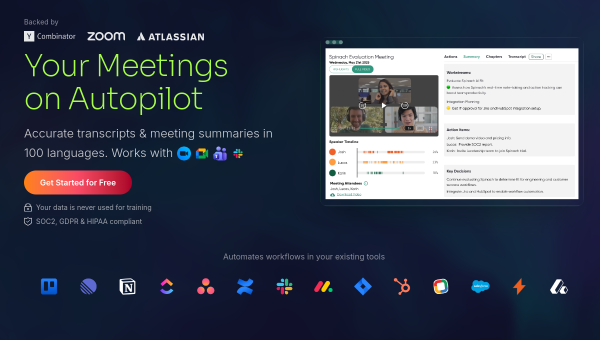
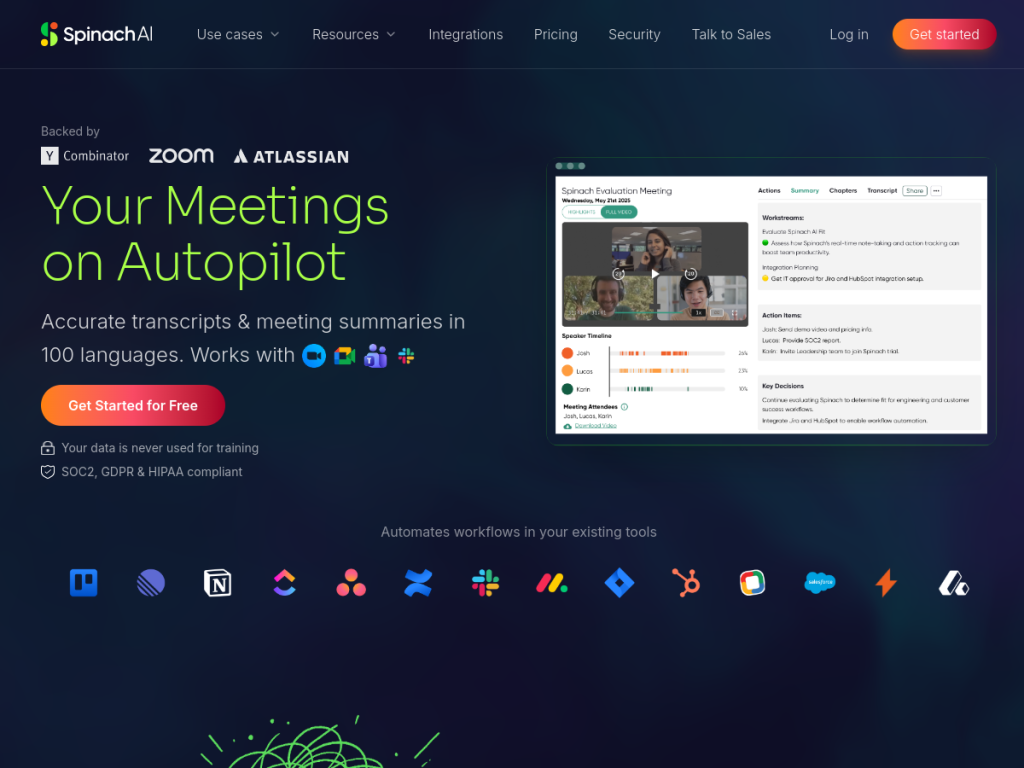
Spinach is an AI meeting assistant that helps teams run and document meetings, joining calls to capture notes, generate summaries, and track action items automatically. It is often described as an AI scrum master or meeting facilitator: beyond transcription and summaries, it helps structure and move meetings along, and it can turn discussion into follow-ups such as action items and tickets in the tools teams use. It integrates with common meeting and work platforms (video conferencing and project tools) so that outcomes flow into your workflow rather than getting lost. Spinach targets teams — particularly those running regular stand-ups, syncs, and agile ceremonies — that want more productive meetings and reliable, automatic documentation. It offers a free plan with paid tiers for more features.
What it does well
- Automatic notes: summaries and action items from meetings.
- Meeting facilitation: helps keep discussions on track.
- Follow-through: turns talk into action items and tickets.
- Integrated: works with video and project tools.
Who it is for
Spinach fits teams — especially agile and product teams running stand-ups, syncs, and regular ceremonies — that want more productive meetings and automatic, reliable documentation of decisions and action items, flowing into their existing tools. Its facilitation angle suits teams looking to tighten up meetings. Those who rarely meet, or prefer a purely manual approach, may not need it, and AI notes and summaries should be reviewed for accuracy, but for teams that want productive meetings with automatic notes and follow-up, Spinach is a capable, free-to-start choice.
Things to keep in mind
- AI notes and summaries should be reviewed for accuracy.
- More features require paid tiers beyond the free plan.
- Its value is greatest for teams with regular, structured meetings.
Our verdict
Spinach is a capable AI meeting assistant, and its combination is well suited to real teams: it takes notes, writes summaries, and tracks action items automatically, and it helps keep meetings on track like an AI scrum master — then turns discussion into follow-ups and tickets in the tools you already use. For agile and product teams running regular ceremonies, that means more productive meetings and reliable documentation. AI notes need a review and richer features are paid, but for productive meetings with automatic notes and follow-through, Spinach is a solid, free-to-start choice.
Frequently asked questions
What is Spinach?
Spinach is an AI meeting assistant that takes notes, writes summaries, and tracks action items automatically, and helps keep meetings on track like an AI scrum master.
What does Spinach do after meetings?
It generates summaries and turns discussion into action items and tickets in your work tools, so outcomes flow into your workflow.
Is Spinach free?
Spinach offers a free plan, with paid tiers for more features.
Who is Spinach for?
It is for teams — especially agile and product teams running stand-ups and syncs — that want productive meetings and automatic documentation.
Top Spinach alternatives
Other hand-reviewed AI Meeting Assistants tools worth comparing against Spinach.
CirclebackFree Trial
Circleback is a free trial AI meeting tool. Our hands-on review covers features, pricing, pros and cons, and…
FellowFree
Fellow is a free AI meeting tool. Our hands-on review covers features, pricing, pros and cons, and who…
GrainFreemium
Grain is a freemium AI meeting tool. Our hands-on review covers features, pricing, pros and cons, and who…
JamiePaid
Jamie is a paid AI meeting tool. Our hands-on review covers features, pricing, pros and cons, and who…
LaxisFree
Laxis is a free AI meeting tool. Our hands-on review covers features, pricing, pros and cons, and who…
SemblyFree Trial
Sembly is a free trial AI meeting tool. Our hands-on review covers features, pricing, pros and cons, and…
Are you the maker of Spinach?
Show visitors this review with the badge below. Copy the code into your site or press kit; it links straight back to this page.