Key Takeaways
- Teta is an AI web-app builder with a visual editor.
- It generates web apps from chat and lets you edit visually.
- It produces real code (SvelteKit) under the hood.
- Great for building web apps with AI plus hands-on control.
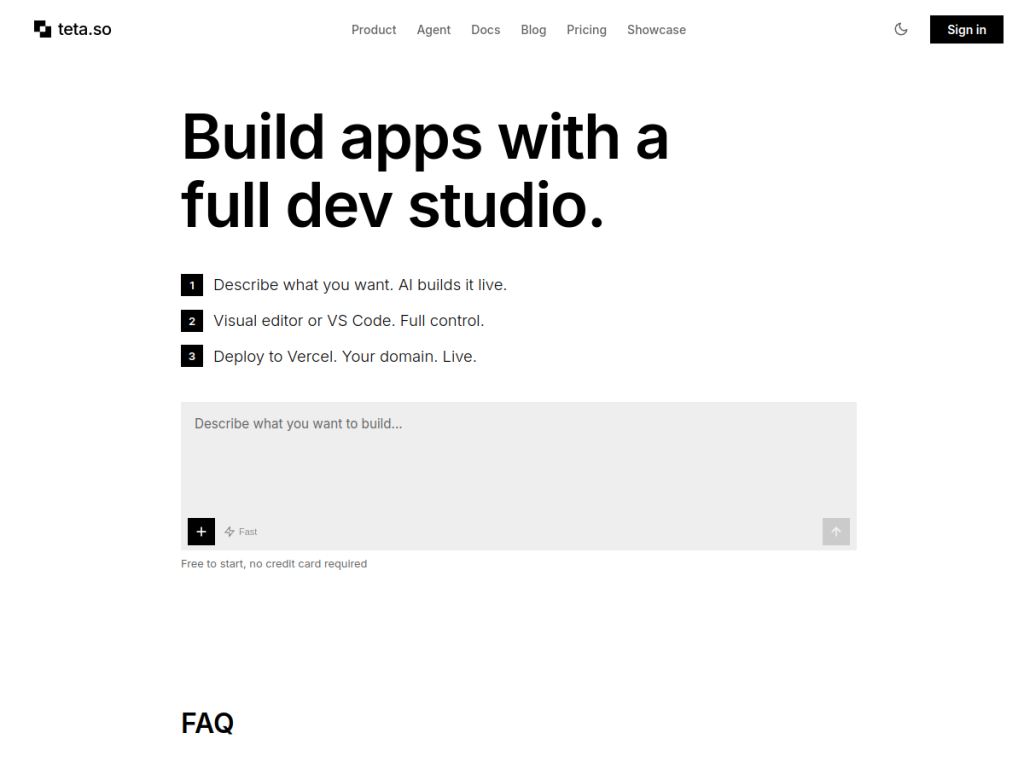
Teta is an AI web-app builder that blends conversational generation with a visual editor and a real IDE: describe what you want and it builds a web app, but you can also edit it hands-on and access the underlying code (SvelteKit). That mix of AI speed and real control appeals to people who want to build fast without giving up the ability to fine-tune. For makers and developers who want AI-assisted web-app building with genuine editability, Teta is an interesting option.
What is Teta?
Teta (teta.so) is an AI-powered web application builder that combines chat-based AI generation with a visual editor and code access. You describe the app you want, and Teta’s AI generates a working web application; it then lets you refine the result both through further AI prompts and through a visual, drag-and-drop-style editor, and it exposes an underlying code layer (generating real code, reported to be SvelteKit) with IDE capabilities for those who want to work directly with it. This positions it between pure no-code AI builders and hand-coding: fast AI generation, but with genuine control and real code rather than a locked black box. Its features typically span AI app generation, visual editing, code editing, and deployment/publishing. Its appeal is combining AI speed with hands-on editability and code ownership. It targets makers, indie developers, designers, and technically-inclined builders who want to build web apps quickly without giving up control. Teta offers a free way to start with paid plans by usage. (AI-generated apps should be reviewed for quality and correctness.)
What it does well
- AI plus control: chat generation with visual editing.
- Real code: generates SvelteKit, not a black box.
- IDE access: work directly with the code.
- Fast and editable: build quickly, still fine-tune.
Who it is for
Teta fits makers, indie developers, designers, and technically-inclined builders who want to build web apps quickly with AI but keep genuine control — refining through both a visual editor and real code (SvelteKit) rather than being locked into a black-box no-code tool. That blend of AI speed and editability is its draw. Pure non-technical users wanting the simplest possible builder may prefer fully no-code tools, developers building complex production systems will want full control, AI-generated apps should be reviewed for quality and correctness, and heavier use is paid. For AI-assisted web-app building with real control, Teta is an interesting, free-to-start choice.
Things to keep in mind
- AI-generated apps should be reviewed for quality and correctness.
- Pure non-technical users may prefer fully no-code tools.
- Heavier usage requires paid plans.
Our verdict
Teta is an interesting AI web-app builder that blends conversational generation with a visual editor and a real IDE: describe what you want and it builds a web app, but you can also edit it hands-on and access the underlying SvelteKit code. That mix of AI speed and genuine control — real code rather than a locked black box — appeals to makers and developers who want to build fast without giving up the ability to fine-tune and own the output. Pure non-technical users may prefer simpler no-code tools, AI-generated apps need review, and heavier use is paid, but for AI-assisted web-app building with real editability, Teta is a solid, free-to-start choice.
Frequently asked questions
What is Teta?
Teta (teta.so) is an AI web-app builder that combines chat-based AI generation with a visual editor and code access, generating real code (reported to be SvelteKit).
How is Teta different from no-code builders?
It sits between no-code and hand-coding: AI generation plus a visual editor, but with genuine control and access to the underlying real code rather than a locked black box.
Is Teta free?
Teta offers a free way to start, with paid plans by usage.
Who is Teta for?
It is for makers, indie developers, designers, and technically-inclined builders who want to build web apps quickly with AI while keeping control.
Top Teta alternatives
Other hand-reviewed No-Code tools worth comparing against Teta.
10WebPaid
10Web is a paid AI no code and website builder tool for founders and small businesses. Our review…
AdaloPaid
Adalo is a paid AI no code and website builder tool for non-technical builders. Our review covers what…
Bravo StudioFreemium
Bravo Studio is a freemium AI no code and website builder tool for non-technical builders. Our review covers…
BubbleFreemium
Bubble is a freemium AI business and no code tool for non-technical builders. Our review covers what it…
FlutterFlowPaid
FlutterFlow is a paid AI no code and website builder tool for founders and small businesses. Our review…
Framer AIFreemium
Framer AI is a freemium AI business and design tool for founders and small businesses. Our review covers…
Are you the maker of Teta?
Show visitors this review with the badge below. Copy the code into your site or press kit; it links straight back to this page.