Key Takeaways
- TimeBolt automatically edits video by cutting silence and filler.
- It removes dead air, pauses, and (with AI) filler words.
- It speeds up podcast and video editing dramatically.
- Great for creators cutting hours off editing.
TimeBolt tackles one of the most tedious jobs in video and podcast editing: cutting out the silences, dead air, and filler that pad raw recordings. It detects and removes those gaps automatically — and its AI (UMCHECK) can also cut filler words like “um” and “uh” — turning hours of manual scrubbing into a quick automated pass. For creators, podcasters, and course-makers who record a lot, TimeBolt is a genuinely useful time-saver.
What is Timebolt?
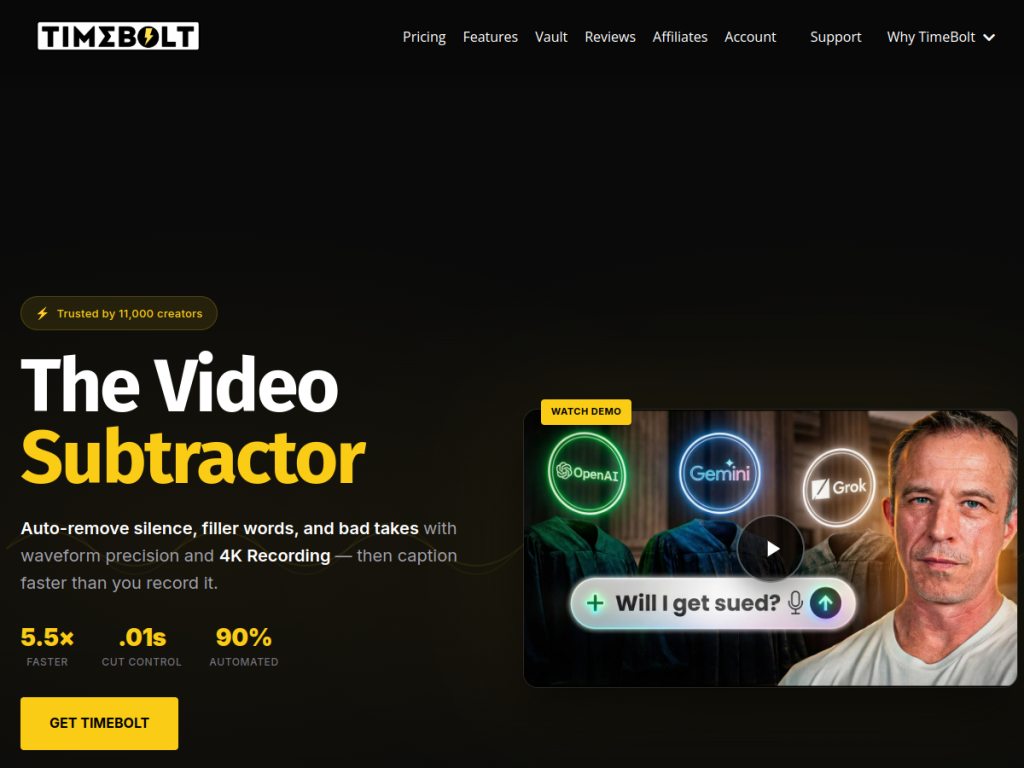
TimeBolt (timebolt.io) is an automated video and audio editing tool designed to speed up editing by removing silences, pauses, and filler from recordings. Its core capability uses waveform/audio analysis to automatically detect and cut out silent sections and dead air — the long pauses that pad raw video and podcast recordings — and it can also skip or speed up sections, dramatically reducing the manual work of editing. Its AI component (referred to as “UMCHECK AI”) adds detection of filler words (such as “um” and “uh”) and related capabilities, and it offers features like auto-captioning in its broader toolkit. It is designed to integrate with editing workflows, exporting to popular editors (such as Premiere Pro, Final Cut, and others) so the automated cuts can be refined further. Its value is turning a slow, tedious editing step into a fast automated pass, saving creators significant time. It targets podcasters, YouTubers, course creators, and video editors who work with a lot of talking-head or spoken content. TimeBolt is a paid tool (often with a trial). (Automated cuts should be reviewed to ensure the edit flows naturally.)
What it does well
- Auto-cuts silence: removes dead air and pauses.
- UMCHECK AI: detects and cuts filler words.
- Big time-saver: fast automated editing pass.
- Editor integration: export to Premiere, Final Cut, and more.
Who it is for
TimeBolt fits podcasters, YouTubers, course creators, and video editors who work with a lot of talking-head or spoken content and want to cut the tedious step of removing silences, pauses, and filler — automatically, with AI filler-word detection — before refining in their editor of choice. For high-volume spoken content, the time saved is substantial. Those making mostly non-spoken or heavily-produced video may not need it, it is a paid tool, and automated cuts should be reviewed to make sure the edit flows naturally rather than feeling choppy. For speeding up spoken-content editing, TimeBolt is a capable choice.
Things to keep in mind
- Automated cuts should be reviewed so the edit flows naturally.
- It is most useful for talking-head or spoken content.
- It is a paid tool; check the trial and pricing.
Our verdict
TimeBolt is a genuinely useful time-saver that tackles one of editing’s most tedious jobs: cutting the silences, dead air, and filler that pad raw recordings. It detects and removes those gaps automatically using audio analysis, and its UMCHECK AI can also cut filler words like “um” and “uh,” turning hours of manual scrubbing into a quick automated pass — then exports to editors like Premiere and Final Cut for refinement. For podcasters, YouTubers, and course-makers who record a lot of spoken content, that is real time saved. Automated cuts should be reviewed so the edit flows naturally, and it is a paid tool, but for speeding up spoken-content editing, TimeBolt is a solid choice.
Frequently asked questions
What is TimeBolt?
TimeBolt (timebolt.io) is an automated video and audio editing tool that removes silences, pauses, and filler from recordings, with AI (UMCHECK) filler-word detection, to speed up editing.
How does TimeBolt use AI?
Its core silence-cutting uses audio/waveform analysis, and its UMCHECK AI adds detection and cutting of filler words like “um” and “uh,” plus features like auto-captioning.
What editors does TimeBolt work with?
It integrates with editing workflows and exports to popular editors such as Premiere Pro and Final Cut, so automated cuts can be refined further.
Is TimeBolt free?
TimeBolt is a paid tool, often with a trial; see the site for current pricing.