Key takeaways
- Vista Social is a modern social-media management platform covering scheduling, a unified inbox, analytics, listening and review management across many networks.
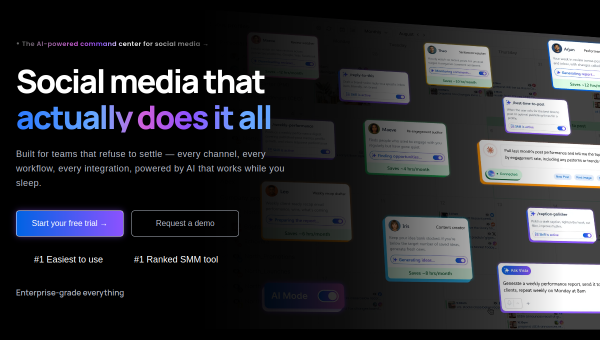
- It positions itself as an easy-to-use command center and highlights AI features including AI-assisted content and its newer AI Knowledge capability.
- Competitively priced with a free tier and mobile apps; rated highly for ease of use.
- A strong all-rounder for agencies and growing teams that want breadth without enterprise pricing.
What Vista Social is
Vista Social is a newer, modern entrant that bundles the full social-management toolkit — scheduling, a unified inbox, analytics, social listening and review management — into one dashboard, positioning itself as an AI-powered command center for social. It supports the major networks (Facebook, Instagram, LinkedIn, TikTok, YouTube and more), offers iOS and Android apps, and has built a reputation for ease of use, with recognition on review sites for being straightforward to adopt.
Its pitch is being a modern alternative to legacy tools: comparable breadth to established suites, but easier to use and more competitively priced, including a free tier. For agencies and growing teams weighing cost against capability, that combination is the main appeal.
The AI features
Vista Social integrates AI across its workflow, with AI-assisted content creation in the composer and a newer AI Knowledge feature aimed at making the platform’s AI more context-aware for your brand. The homepage leans on the AI positioning without exhaustively detailing every capability, so anyone evaluating it for specific AI needs should confirm the current feature set during a trial.
As with the category generally, the AI writing tools produce competent drafts that need editing for voice and accuracy. The value is speed and convenience within an already broad platform rather than a uniquely powerful AI engine.
Strengths and limits
The strengths are breadth, usability and value. Vista Social covers scheduling, engagement, listening, analytics and review management — a wide feature set — while staying easier to use and cheaper than enterprise incumbents, with a free tier to start. Review management (handling Google and other reviews alongside social) is a useful extra many competitors treat separately.
The limits: as a younger platform it is less battle-tested at massive enterprise scale than the oldest suites, and its AI, while present, is not the deepest in the market. Teams needing the most advanced listening or enterprise governance may still prefer heavier tools. Verify specific AI capabilities against your needs during the trial.
Who it suits
- Agencies and growing teams that want broad capability without enterprise pricing.
- Businesses that manage online reviews alongside social content.
- Teams that prioritise ease of use and a strong free-to-paid path.
Verdict
Vista Social is a capable, modern all-rounder that packs scheduling, engagement, listening, analytics and review management into an easy-to-use, competitively priced platform. Its AI features speed up content work without being the platform’s standout; the real draw is breadth and value. For agencies and growing teams that want a lot of capability without paying enterprise rates, Vista Social is a strong, pragmatic choice — trial it to confirm the AI features match your specific workflow.
Top Vista Social alternatives
Other hand-reviewed Social Media tools worth comparing against Vista Social.
AdCreative.aiPaid
AdCreative.ai is a paid AI design and marketing tool for marketers. Our review covers what it does, pricing,…
BoomyFreemium
Boomy is a freemium AI audio music and social media tool for musicians and producers. Our review covers…
Brand24Paid
Brand24 is a paid AI marketing and social media tool for marketers. Our review covers what it does,…
Buffer AIFreemium
Buffer AI is a freemium AI marketing and productivity tool for social media managers. Our review covers what…
Canva AIFreemium
Canva AI is a freemium AI design and image generation tool for designers. Our review covers what it…
Captions AIFreemium
Captions AI is a freemium AI avatars and social media tool for video creators. Our review covers what…
Are you the maker of Vista Social?
Show visitors this review with the badge below. Copy the code into your site or press kit; it links straight back to this page.



