
Key Takeaways
- Wisecut is an AI video editing tool that automates the tedious parts.
- It cuts long silences, adds subtitles, and can add background music.
- It uses face recognition and voice analysis to reframe and edit.
- Great for creators repurposing talking videos into polished clips.
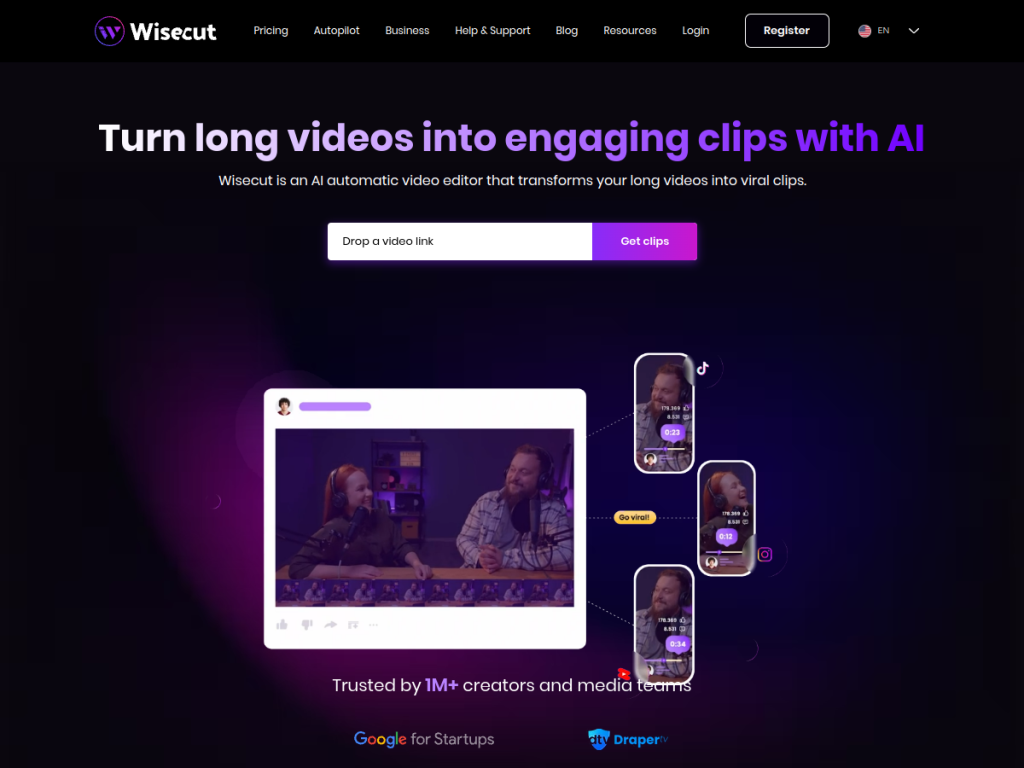
Wisecut is an AI video editor built to automate the boring parts of editing talking-head and long-form video. It analyzes your footage, cuts out long silences, adds subtitles automatically, and can even add background music that ducks under speech — using face recognition and voice analysis to keep things framed and flowing. For creators, marketers, and educators who want to turn raw talking videos into polished clips without manual editing, Wisecut is a handy, time-saving tool.
What is Wisecut?
Wisecut is an AI-powered video editing tool that automates time-consuming editing tasks for talking and long-form video. Its core features include automatically cutting long silences and pauses to tighten videos, auto-generating subtitles and captions (with translation options), and adding background music that automatically lowers under speech (auto-ducking). It uses facial recognition and voice/speech analysis to help with framing and to intelligently edit based on who is speaking, and it supports repurposing long videos into shorter, social-ready clips. Wisecut is browser-based, aimed at content creators, YouTubers, marketers, educators, and podcasters who want to speed up editing without professional software. It offers a free plan with limits and paid plans for more usage, longer videos, and additional features. (The service is now at wisecut.ai.)
What it does well
- Auto-editing: cuts long silences to tighten videos.
- Subtitles: automatic captions, with translation.
- Smart music: background music that ducks under speech.
- AI framing: face recognition and voice analysis.
Who it is for
Wisecut fits content creators, YouTubers, marketers, educators, and podcasters who record talking-head or long-form video and want to automate the tedious editing — cutting silences, adding subtitles and music, and repurposing into shorter clips — without professional software or hours of manual work. Its automation suits high-volume creators. Those making highly cinematic, effects-heavy edits will still use full editors, and AI edits benefit from a review pass, but for automating routine talking-video editing, Wisecut is a handy, time-saving choice with a free plan.
Things to keep in mind
- AI edits benefit from a review pass before publishing.
- It is optimized for talking-head and long-form video.
- More usage, longer videos, and features require paid plans.
Our verdict
Wisecut is a handy, time-saving AI video editor, and its focus is smart: automating the tedious parts of editing talking and long-form video — cutting long silences, adding subtitles (with translation), and layering in background music that ducks under speech — using face recognition and voice analysis to keep things framed and flowing. For creators and educators who want polished clips without manual editing, that automation saves real time, and it can repurpose long videos into social-ready clips. AI edits need a review and it is tuned for talking video, but for automating routine video editing, Wisecut is a solid, free-to-start choice.
Frequently asked questions
What is Wisecut?
Wisecut is an AI video editing tool that automates editing talking and long-form video — cutting long silences, adding subtitles, and adding background music — using face and voice analysis.
What does Wisecut automate?
It automatically cuts long silences, generates subtitles (with translation), adds auto-ducking background music, and helps reframe and repurpose videos into shorter clips.
Is Wisecut free?
Wisecut offers a free plan with limits and paid plans for more usage, longer videos, and additional features.
Who is Wisecut for?
It is for content creators, YouTubers, marketers, educators, and podcasters who want to automate the tedious editing of talking-head and long-form video.