Key Takeaways
- Zoho SalesIQ is a customer engagement and live chat platform.
- It combines live chat, visitor tracking, and an AI chatbot (Zobot).
- It scores leads, triggers proactive chats, and integrates with CRM.
- Great for businesses engaging website visitors and automating support.
Zoho SalesIQ is a customer engagement platform that helps businesses talk to website visitors at every stage — combining live chat, visitor tracking and scoring, and an AI chatbot builder (Zobot) in one tool. Part of the broad Zoho ecosystem, it lets marketing, sales, and support teams engage proactively, automate answers around the clock, and route the right conversations to the right people. For businesses that want to turn website visitors into conversations and customers, SalesIQ is a capable, well-integrated option.
What is Zoho SalesIQ?
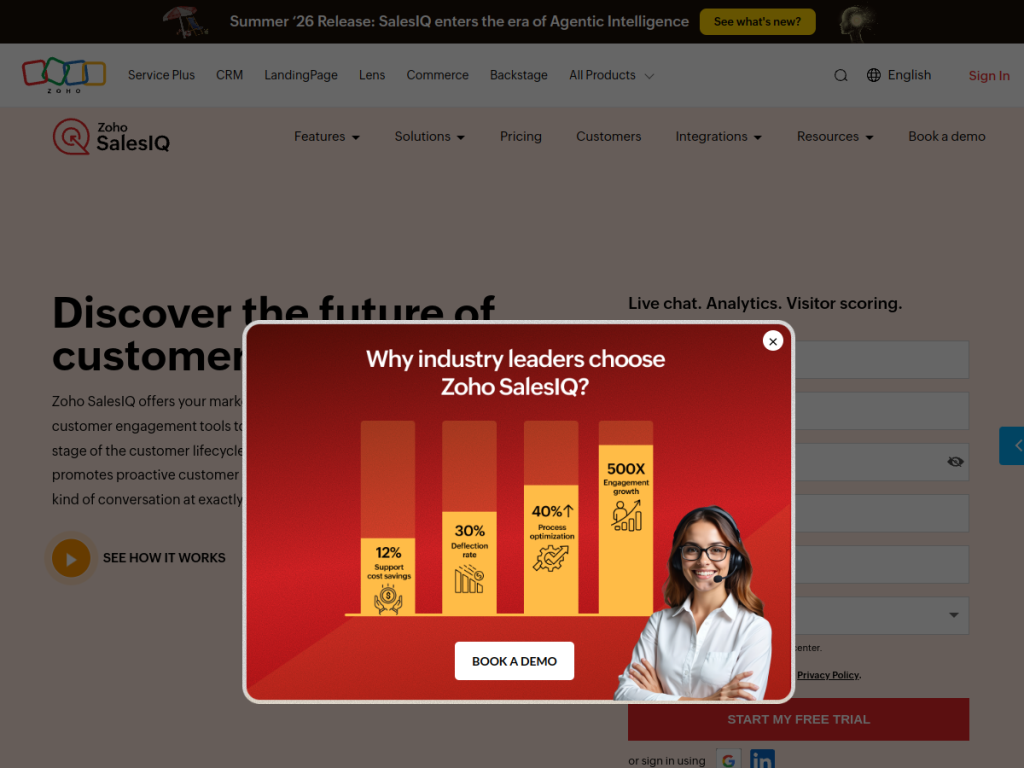
Zoho SalesIQ is a customer engagement platform describing itself as combining live chat, analytics, and visitor scoring so marketing, sales, and support teams can communicate with every site visitor at every stage of the customer lifecycle. Its features include lead management (pre-chat forms, automated lead scoring, and CRM integration), proactive engagement (chat triggers based on visitor behavior, page activity, and time spent), omnichannel support (live chat for websites, mobile apps, and messaging platforms), an AI chatbot builder (Zobot) for 24/7 automated support, analytics and reporting on team performance and user experience, and a mobile SDK (Mobilisten) for in-app chat on Android, iOS, and React Native. It offers 30-plus integrations, including HubSpot, Shopify, Zoho CRM, and Google Analytics, and reports large-scale use (tens of millions of chats). It offers a free plan with paid tiers that add operators and features.
What it does well
- Engagement suite: live chat, visitor tracking, and scoring.
- AI chatbot: Zobot for 24/7 automated support.
- Proactive: triggers based on visitor behavior.
- Integrated: CRM, Shopify, and 30+ integrations.
Who it is for
Zoho SalesIQ fits small and mid-sized businesses and marketing, sales, and support teams — especially those already using Zoho or wanting an affordable, integrated engagement tool — that want to chat with website visitors, score and route leads, and automate answers with an AI chatbot. Its free plan and Zoho integrations make it approachable. Large enterprises with very complex, specialized needs may want dedicated platforms, and chatbot flows take setup, but for engaging website visitors and automating support affordably, Zoho SalesIQ is a capable choice with a free plan.
Things to keep in mind
- Building effective chatbot (Zobot) flows takes setup.
- More operators and advanced features require paid tiers.
- Its value grows within the Zoho ecosystem.
Our verdict
Zoho SalesIQ is a capable customer engagement platform, and its combination is well suited to real businesses: live chat, visitor tracking and lead scoring, proactive triggers based on behavior, and an AI chatbot builder (Zobot) for 24/7 automated support — all with CRM and 30-plus integrations and a mobile SDK. Part of the affordable, broad Zoho ecosystem, it is especially appealing for small and mid-sized teams. Chatbot flows take setup and advanced features are paid, but for engaging website visitors and automating support, Zoho SalesIQ is a solid choice with a free plan.
Frequently asked questions
What is Zoho SalesIQ?
Zoho SalesIQ is a customer engagement platform combining live chat, visitor tracking and scoring, and an AI chatbot (Zobot) so teams can engage website visitors and automate support.
What is Zobot?
Zobot is Zoho SalesIQ’s AI chatbot builder for deploying 24/7 automated customer support and engagement.
Is Zoho SalesIQ free?
Zoho SalesIQ offers a free plan with paid tiers that add operators and features.
Who is Zoho SalesIQ for?
It is for small and mid-sized businesses and marketing, sales, and support teams who want to engage website visitors, score leads, and automate support, especially within Zoho.
Top Zoho SalesIQ alternatives
Other hand-reviewed Customer Support tools worth comparing against Zoho SalesIQ.
ChaportFreemium
Chaport is a freemium AI business and customer support tool for support teams. Our review covers what it…
CrispFreemium
Crisp is a freemium AI business and customer support tool for support teams. Our review covers what it…
Freshdesk Freddy AIFreemium
Freshdesk Freddy AI by Freshworks is a freemium AI automation and business tool for support teams. Our review…
GladlyPaid
Gladly is a paid AI business and customer support tool for support teams. Our review covers what it…
Help ScoutPaid
Help Scout is a paid AI business and customer support tool for support teams. Our review covers what…
IntercomPaid
AI-powered customer support platform that automates conversations and helps teams resolve tickets faster.
Are you the maker of Zoho SalesIQ?
Show visitors this review with the badge below. Copy the code into your site or press kit; it links straight back to this page.



