Key takeaways
- NightCafe is one of the original AI art generators, built around a large, active creative community.
- It supports many models — Flux, DALL-E 3, Ideogram, Stable Diffusion and more — for text-to-image, editing and character creation.
- Daily challenges, community voting, chat rooms and galleries make it as much a social platform as a tool.
- Best for hobbyists and enthusiasts who enjoy the creative and community side; less oriented to commercial production.
What NightCafe is
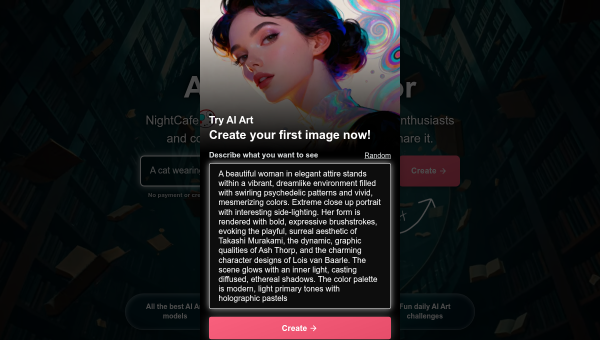
NightCafe, launched in 2019, bills itself as one of the original text-to-image AI generators and has grown a community of millions of creators around AI art. Unlike utility-focused generators, NightCafe leans into the creative and social experience: alongside generating images you can enter daily themed challenges, vote on community work, join chat rooms and browse endless galleries. It is designed to make AI art a fun, shared daily habit rather than a one-off task.
That community focus is its defining trait. NightCafe markets to hobbyists, enthusiasts and content creators who enjoy the craft and the social buzz of AI art, rather than to enterprises needing production assets. The vibe is closer to a creative playground and gallery than a professional pipeline.
The AI features
NightCafe offers access to a wide range of models — Flux, DALL-E 3, Ideogram, Stable Diffusion, Google’s Nano Banana and others — so you can pick the right one for a given style. Core features include text-to-image generation, prompt-based image editing, consistent-character tools, photo-to-painting conversion and upscaling. A credit system (with free daily credits) governs usage, and premium plans unlock more. The breadth of models is a real strength: rather than one house style, you can experiment across many engines in one place.
The multi-model access and community features are what set NightCafe apart from single-model generators. As with all AI art, output varies and needs curation, and anyone using images commercially should understand the licensing tied to each model and their plan. Generated art also carries the usual caveats about originality and prompt sourcing.
Strengths and limits
The strengths are model variety, community and approachability. Access to many top models in one friendly interface, plus challenges and a supportive community, makes NightCafe one of the most enjoyable ways to explore AI art. Free daily credits lower the barrier for newcomers.
The limits: the hobbyist, community orientation means it is less geared to fast commercial production or brand workflows than utility-first tools. The credit system can feel limiting for heavy users, and output quality depends on the chosen model and prompt skill. It is a place to create and share art, not a streamlined asset factory.
Who it suits
- Hobbyists and enthusiasts who enjoy creating and sharing AI art.
- Creators who want to experiment across many models in one platform.
- Anyone drawn to the community side — challenges, voting and galleries.
Verdict
NightCafe is one of the most enjoyable AI art platforms, combining access to a wide range of top models with a genuinely active, welcoming community of challenges, voting and galleries. It is aimed at hobbyists and enthusiasts rather than commercial production, so utility-first users may prefer a leaner tool — but for exploring AI art across many engines and sharing it with others, NightCafe is a standout. Mind the credit limits and model licensing, and it is a rich, creative playground.
Top NightCafe alternatives
Other hand-reviewed Image Generation tools worth comparing against NightCafe.
Adobe FireflyFreemium
Adobe Firefly is a freemium AI design and image generation tool for creatives and visual artists. Our review…
ArtbreederFreemium
Artbreeder is a freemium AI design and image generation tool for creatives and visual artists. Our review covers…
ArtguruFreemium
Artguru is a freemium AI design and image generation tool for creatives and visual artists. Our review covers…
Automatic1111Free
Automatic1111 is a free AI design and image generation tool for creatives and visual artists. Our review covers…
BigJPGFree
BigJPG is a free AI design and image generation tool for creatives and visual artists. Our review covers…
Canva AIFreemium
Canva AI is a freemium AI design and image generation tool for designers. Our review covers what it…
Are you the maker of NightCafe?
Show visitors this review with the badge below. Copy the code into your site or press kit; it links straight back to this page.



