Key takeaways
- MeetGeek is an AI meeting assistant that auto-records, transcribes and summarises calls across Zoom, Meet and Teams.
- It generates context-aware notes with action items and adds meeting analytics with engagement and speaker insights.
- It integrates with 7,000+ apps (via Zapier/Make plus native connectors) and builds a searchable meeting library.
- Best for teams that want automated meeting notes plus conversation analytics and deep workflow integration.
What MeetGeek is
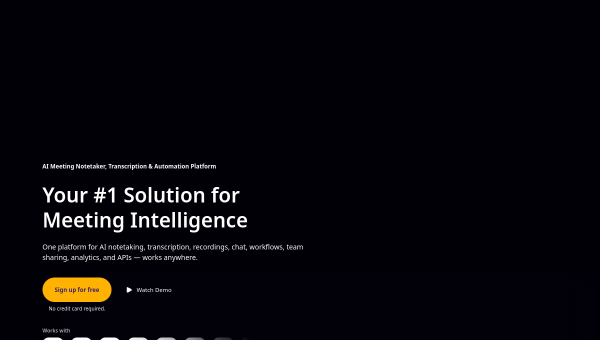
MeetGeek is an AI meeting-intelligence platform that automatically records, transcribes and summarises your meetings across the major conferencing tools. Like other AI notetakers, it joins calls, captures audio in many languages and produces summaries — but it leans hard into two areas: analytics and integrations. It generates context-aware notes tailored to the meeting type (surfacing action items, decisions and objections), adds conversation analytics with engagement and speaker metrics for coaching, and connects to thousands of apps to route that output into your existing workflows.
Its positioning is a meeting assistant that does not just take notes but feeds insights and follow-ups into the rest of your stack. For teams — sales, HR, customer success, product — that integration and analytics angle is what distinguishes MeetGeek from a plain transcription tool.
The AI features
MeetGeek’s AI records and transcribes in 50+ languages, then generates summaries with action items and key decisions based on the detected meeting type. Its meeting analytics provide conversation intelligence — engagement metrics, speaker insights and a large set of KPIs for team coaching. Workflow automation integrates with 7,000+ apps via Zapier, Make and native connectors (Slack, HubSpot, Notion, Salesforce), and newer AI chat and voice agents enable chat-based and voice-activated workflows. A searchable meeting library turns past calls into a knowledge base.
The analytics and extensive integrations are the standout features, letting teams turn meetings into structured, shareable knowledge and automated follow-ups. As with all AI meeting tools, review the summaries and action items for accuracy, and respect recording-consent obligations — telling participants they are being recorded is a legal and courtesy requirement in many places. The AI accelerates note-taking and analysis; human oversight keeps it accurate and appropriate.
Strengths and limits
The strengths are analytics depth and integration breadth. Beyond solid transcription and summaries, MeetGeek’s conversation analytics and 7,000+ integrations make it a genuine workflow hub, and the searchable library turns meetings into reusable knowledge. For teams, that combination is more valuable than notes alone.
The limits are shared with the notetaker category: transcription accuracy dips with poor audio or crosstalk, consent to record must be handled properly, and AI summaries need review before acting. Heavy analytics and integrations may be more than a solo user needs. It is strongest as a team tool where its coaching metrics and automations get used.
Who it suits
- Sales, customer-success and HR teams wanting meeting notes plus conversation analytics.
- Teams that want meeting output routed into 7,000+ apps automatically.
- Organisations building a searchable knowledge base from their meetings.
Verdict
MeetGeek is a strong AI meeting assistant that goes beyond transcription with genuine conversation analytics and an unusually broad set of integrations, plus a searchable meeting library that turns calls into team knowledge. That makes it especially valuable for teams that will use the analytics and route meeting output into their workflows. It shares the category’s caveats — verify summaries, respect recording consent, mind audio quality — but for teams wanting automated notes plus insight and deep integration, MeetGeek is a capable, well-connected choice.
Top MeetGeek alternatives
Other hand-reviewed Meeting Assistants tools worth comparing against MeetGeek.
AvomaPaid
Avoma is a paid AI meeting assistant and productivity tool for meeting-heavy teams. Our review covers what it…
ChorusPaid
Chorus by ZoomInfo is a paid AI meeting assistant and productivity tool for meeting-heavy teams. Our review covers…
FathomFreemium
Fathom is a freemium AI meeting assistant and productivity tool for meeting-heavy teams. Our review covers what it…
Fireflies.aiFreemium
Fireflies.ai is a freemium AI business and meeting assistant tool for meeting-heavy teams. Our review covers what it…
GongEnterprise
Gong is an enterprise AI business and meeting assistant tool for business teams. Our review covers what it…
MotionPaid
Motion is a paid AI business and meeting assistant tool for knowledge workers. Our review covers what it…
Are you the maker of MeetGeek?
Show visitors this review with the badge below. Copy the code into your site or press kit; it links straight back to this page.