Key Takeaways
- Descript lets you edit video and podcasts by editing the transcript — like editing a document.
- Its killer features are text-based editing and one-click removal of filler words and pauses.
- Best for podcasters, YouTubers, and anyone who finds traditional editors intimidating.
- Not a full replacement for pro editing suites, but a huge time-saver for talking-head content.
Overview
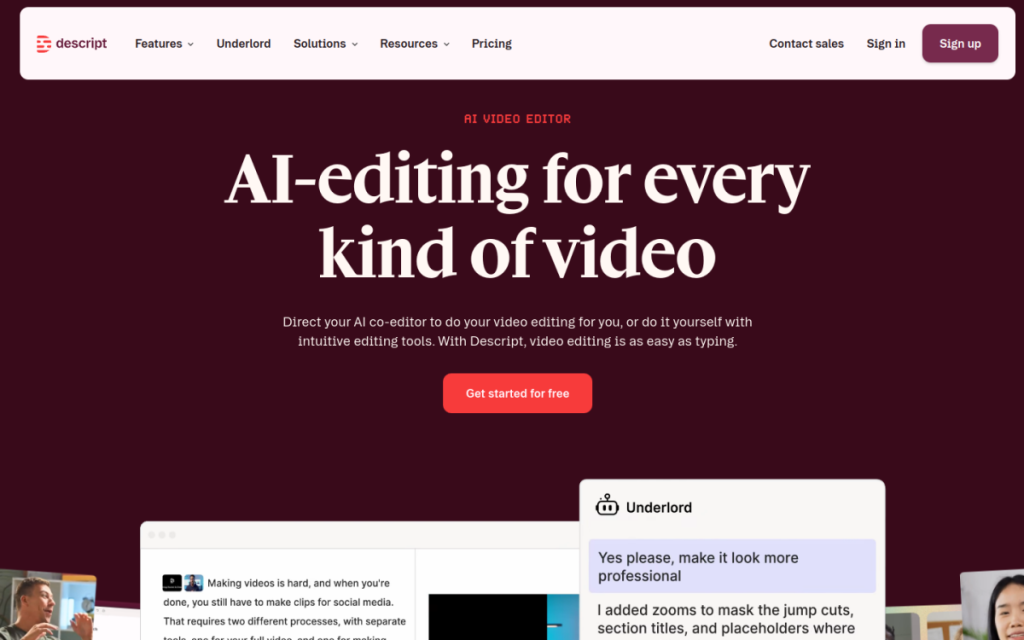
Descript reimagines editing around a simple idea: if you delete a word from the transcript, it deletes that word from the video or audio. That turns intimidating timeline editing into something as familiar as editing a document. For anyone producing podcasts or talking-head videos, it removes most of the friction — and its AI features handle the tedious cleanup automatically.
Who should use it
- Podcasters who want to edit episodes without learning audio software.
- YouTubers and creators producing talking-head or interview content.
- Teams making training videos, tutorials, and internal content.
Key features
- Text-based editing — edit the transcript to edit the media.
- Filler-word removal that strips “um,” “uh,” and awkward pauses in one click.
- Automatic transcription and subtitle generation.
- Screen recording and simple video assembly in one place.
Pricing
Descript has a free plan with limited transcription hours, and paid tiers that increase your hours and unlock the more advanced features. The pricing scales with how much you produce, so hobbyists can start free while regular creators pay for volume and extras.
Pros and cons
What we liked: the text-based editing genuinely changes how fast you can cut content, and the filler-word removal alone saves hours on any spoken recording. Transcription accuracy is strong.
What we didn’t: it’s not built for complex, effects-heavy video, and very long projects can feel sluggish. Serious motion-graphics work still belongs in a dedicated editor.
How to use it well
- Record clean audio first — good input makes the transcript and editing far better.
- Run filler-word removal early to clean the raw recording before you cut.
- Use it for the rough cut, then export to a full editor only if you need heavy effects.
Alternatives
Traditional editors like Premiere or DaVinci Resolve offer far more power but a steeper curve. For voiceovers, pair Descript with ElevenLabs. For pure transcription, a tool like Otter.ai focuses on that job.
We tested this: our hands-on experience
We edited a real 40-minute podcast episode and a 6-minute talking-head video in Descript to see whether the “edit by transcript” promise holds up under actual conditions. It does — and the moment it clicked was deleting a rambling tangent by selecting the paragraph in the transcript and hitting delete, watching thirty seconds of audio and video disappear cleanly in one action. For anyone who’s dragged clip edges around a timeline, that alone feels like a small superpower.
The filler-word removal lived up to its billing too: one pass stripped dozens of “ums” and “you knows” from the podcast, tightening it noticeably without us hunting for each one. Transcription accuracy was strong on clear audio, though a guest with a heavy accent and a slightly hot microphone produced enough errors that we had to correct the transcript before editing. And on the long episode, the app got sluggish toward the end — a reminder that it’s built for spoken-word content, not feature-length, effects-heavy production.
A real workflow example
Our podcast edit followed a repeatable loop that would be painful in a traditional editor. Step one: import the recording and let Descript transcribe it. Step two: read the transcript like a document and delete the false starts, tangents, and dead air — each deletion cutting the media instantly. Step three: run filler-word removal to catch the “ums” we missed. Step four: read through once more for flow, moving a paragraph earlier by cutting and pasting text, which reorders the audio to match. Step five: export, with auto-generated captions for the clips we’d share on social. What used to be a multi-hour editing session became about forty minutes of mostly reading.
The takeaway from our test: Descript’s value scales with how much you talk. For podcasts, interviews, and tutorials, it turns the most tedious part of production into something that feels like editing a Google Doc. For cinematic or effects-driven video, it’s the wrong tool — and it doesn’t pretend otherwise. Match it to spoken-word content and it’s one of the biggest time-savers a creator can adopt.
Frequently asked questions
Is Descript good for beginners?
Yes — its text-based editing is one of the most beginner-friendly ways to edit video and audio, because it works like editing a document instead of a timeline.
Can Descript replace my video editor?
For talking-head videos, podcasts, and tutorials, often yes. For effects-heavy or cinematic work, you’ll still want a dedicated professional editor.
Final verdict
Descript is the tool that finally makes editing approachable for people who talk for a living. If your content is podcasts, interviews, or talking-head video, its text-based workflow and automatic cleanup will save you real hours every week. It’s not a Hollywood editing suite, and it doesn’t try to be — it’s a faster, friendlier path from recording to published, and for its audience that’s exactly right.
Sources: hands-on use of Descript for podcast and video editing, checked against its official documentation and pricing at the time of writing.
Top Descript alternatives
Other hand-reviewed Voice & Text-to-Speech tools worth comparing against Descript.
AlteredPaid
Altered is a paid AI video generation and voice text to speech tool for video creators. Our review…
Amazon PollyPaid
Amazon Polly by Amazon Web Services is a paid AI video generation and voice text to speech tool…
Azure TTSPaid
Azure TTS by Microsoft Azure is a paid AI video generation and voice text to speech tool for…
CoquiFree
Coqui by Coqui (community-maintained) is a free AI video generation and voice text to speech tool for video…
Designs.aiPaid
Designs.ai is a paid AI branding and design tool for brand creators. Our review covers what it does,…
ElevenLabsFreemium
ElevenLabs is a freemium AI avatars and video generation tool for video creators. Our review covers what it…
Descript vs the competition
Are you the maker of Descript?
Show visitors this review with the badge below. Copy the code into your site or press kit; it links straight back to this page.



