Key Takeaways
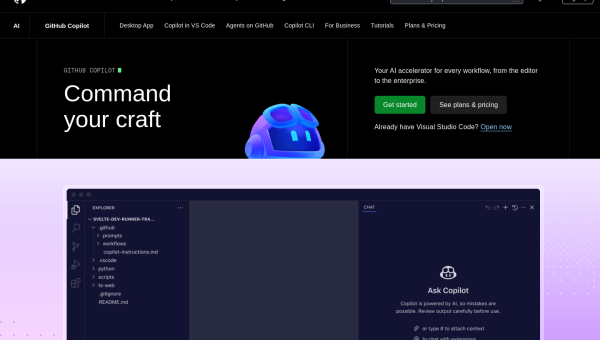
- GitHub Copilot is an AI pair-programmer that suggests code as you type, inside your editor.
- Its strength is frictionless autocomplete for routine code — tests, boilerplate, common patterns.
- Best for working developers who want speed without changing their setup.
- It’s a co-pilot, not an autopilot — review every suggestion before you accept it.
Overview
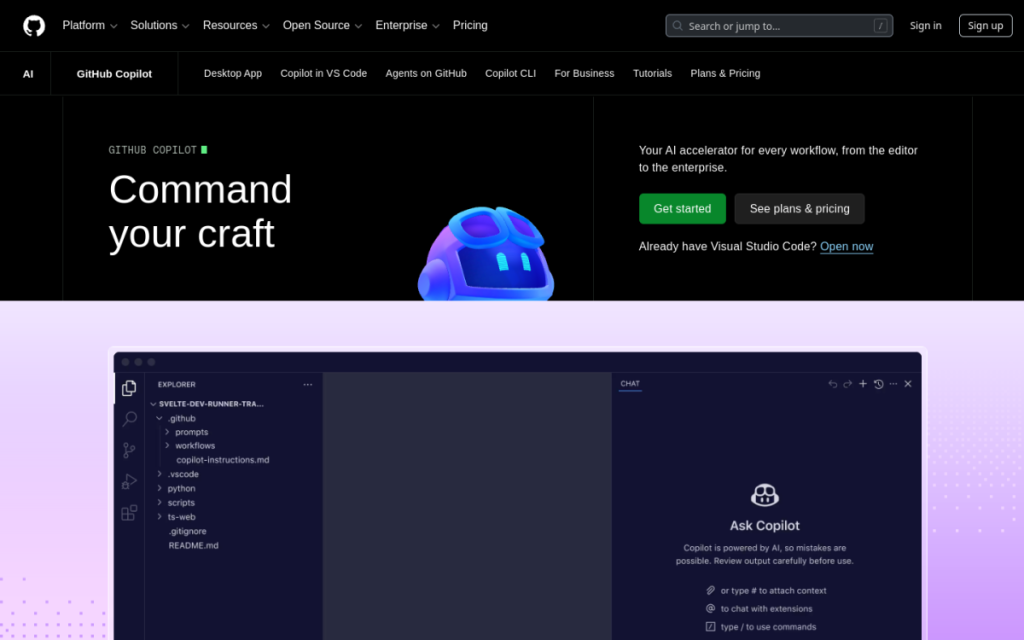
GitHub Copilot popularised the idea of an AI assistant that writes code alongside you. It lives inside popular editors and suggests the next line — or the next several lines — based on your comments, function names, and surrounding code. For a huge amount of everyday programming, it turns typing into reviewing: you describe intent, it drafts, you accept or adjust. That shift is why it became the default AI coding tool for so many developers.
Who should use it
- Working developers who want a speed boost without learning a new editor.
- Anyone writing repetitive code — tests, boilerplate, data transforms.
- Learners who benefit from seeing idiomatic examples in context.
Key features
- Inline suggestions that complete lines and whole functions as you type.
- Chat for asking questions, explaining code, and generating snippets.
- Broad editor support across the popular IDEs.
- Context awareness that draws on your open files to fit your code.
Pricing
Copilot is a paid subscription for individuals, with business and enterprise tiers that add administrative controls. There’s typically free access for verified students and maintainers of popular open-source projects. For most professionals, the individual plan pays for itself quickly in saved time.
Pros and cons
What we liked: the suggestions are fast and usually right for routine code, and because it lives in your existing editor, there’s zero workflow change. Generating tests for existing code is a standout, low-risk use.
What we didn’t: it’s a brilliant autocomplete but a weaker partner for big architectural decisions, and it will confidently suggest code that looks right but isn’t. It can also occasionally reference APIs that don’t exist.
How to use it well
- Write a clear comment or signature first — intent up front produces better completions.
- Review every suggestion. Understand it before you accept it.
- Lean on it for tests and boilerplate, where it’s most reliable.
- Keep your test suite honest to catch anything it gets subtly wrong.
Alternatives
Cursor rebuilds the editor around AI and excels at multi-file edits; Claude and ChatGPT are stronger for understanding a large codebase or prototyping; Codeium offers a capable free tier. Many developers pair Copilot’s autocomplete with a chat-based assistant for deeper work.
We tested this: our hands-on experience
We put Copilot to work inside a real project — a mid-sized web app with a few thousand lines of existing code — for a fortnight, rather than judging it on toy examples. The pattern that emerged quickly: it’s brilliant at the code you find boring and only okay at the code you find hard. Writing a batch of unit tests for existing functions, scaffolding a new API route that mirrors three others, converting a data shape from one format to another — Copilot completed these almost as fast as we could read its suggestions, and they were usually right.
Where it stumbled was anything requiring knowledge it couldn’t see. It confidently suggested a call to a helper function that didn’t exist in our codebase, and once proposed an approach that looked correct but quietly ignored an edge case we’d handled elsewhere. Neither was a disaster — because we read every suggestion before accepting — but both are exactly why “review, don’t rubber-stamp” isn’t optional advice. Used with that discipline, it made the routine 80% of coding noticeably faster and freed our attention for the 20% that actually needed thought.
A real workflow example
Here’s a concrete task from our test that shows Copilot at its best. We needed to add input validation to a dozen similar form handlers. We wrote the validation for the first one by hand, clearly and idiomatically. From then on, as we opened each subsequent handler and typed a comment like “validate the email and required fields”, Copilot proposed almost exactly the validation we’d have written — because it had learned the pattern from our first example and the surrounding code. Twelve handlers that would have been an hour of tedious, error-prone copy-paste took about fifteen minutes, and the consistency was better than we’d have managed by hand.
The lesson we took away: Copilot rewards you for writing one good example. Establish the pattern clearly, and it propagates it across your codebase faster and more consistently than you can. Ask it to invent a pattern from nothing, and results get shakier. Treat it as a pattern-multiplier rather than an architect, and it earns its subscription in saved time within the first week.
Frequently asked questions
Is GitHub Copilot worth it?
For most working developers, yes — the time saved on routine code typically justifies the subscription within days. It’s less compelling if you rarely write repetitive code.
Does Copilot write correct code?
Often, but not always. It’s a suggestion engine, not a guarantee — it can produce plausible-looking code with subtle bugs, so review everything and rely on your tests.
Final verdict
GitHub Copilot is the easiest way to add AI to your coding without disrupting how you work. Treat it as a fast, tireless junior who drafts the routine stuff so you can focus on the hard parts — and who still needs your review on every line. For that role, it’s excellent, and for many developers it’s become simply part of how they code.
Sources: hands-on use of GitHub Copilot across editors and languages, checked against its official documentation and pricing at the time of writing.
Top GitHub Copilot alternatives
Other hand-reviewed Coding Assistants tools worth comparing against GitHub Copilot.
AiderFree
Aider is a free AI coding assistant and developer tool tool for software developers. Our review covers what…
AlphaCodeFree
AlphaCode by Google DeepMind is a free AI coding assistant and developer tool tool for software developers. Our…
Amazon Q DeveloperFreemium
Amazon Q Developer by Amazon Web Services is a freemium AI business and coding assistant tool for software…
AnacondaFree
Anaconda is a free AI coding assistant and developer tool tool for engineers. Our review covers what it…
ApplitoolsPaid
Applitools is a paid AI coding assistant and developer tool tool for engineers. Our review covers what it…
AskCodiFreemium
AskCodi is a freemium AI coding assistant and developer tool tool for software developers. Our review covers what…
GitHub Copilot vs the competition
Are you the maker of GitHub Copilot?
Show visitors this review with the badge below. Copy the code into your site or press kit; it links straight back to this page.



