
Key Takeaways
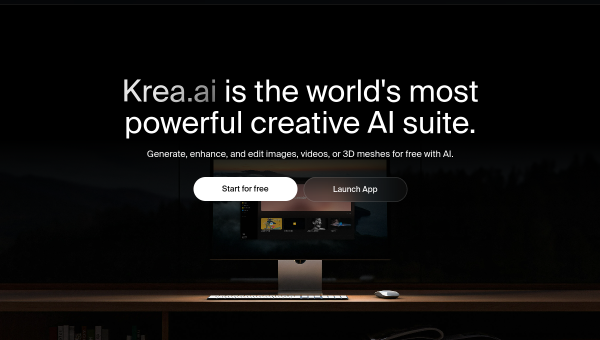
- Krea is a creative AI suite for generating and editing images, video, and 3D.
- It is known for real-time generation, high-resolution output, and access to many models.
- Aimed at creatives and professionals who want speed, control, and quality.
- Powerful and fast; results still benefit from a creative eye and iteration.
Krea has built a strong reputation among creatives for real-time AI generation — you can see images form and change as you adjust prompts and inputs, which makes the creative process feel interactive rather than a slow guess-and-wait. Beyond images, it spans video, 3D, and enhancement, and gives access to many models in one place, making it a genuine creative hub.
What is Krea?
Krea is a web-based creative AI suite. It offers text-to-image generation with real-time rendering and high-resolution output, AI video generation and upscaling, 3D object generation, and image enhancements like upscaling, background removal, and generative editing. It supports custom model training via LoRA and provides access to dozens of models — including its own and popular third-party ones — with asset management and workflow tools.
What it does well
- Real-time generation — see images form and change as you tweak inputs.
- High resolution — generate and upscale to very high resolutions.
- Multi-modal — images, video, and 3D in one suite.
- Many models — access dozens of models, including custom LoRA training.
- Enhancement tools — upscaling, background removal, and generative editing.
Who it is for
Krea suits creatives and professionals — designers, artists, marketers, and studios — who want fast, high-quality AI generation with real control. Its real-time workflow appeals to people who iterate a lot, and its breadth across images, video, and 3D makes it a fit for those who want one suite rather than several separate tools.
Things to keep in mind
Krea is powerful, but AI generation still rewards a creative eye and iteration — the best results come from someone who guides and refines rather than accepting the first output. As with any generative tool, review results for quality and appropriateness, and be mindful of usage rights when creating commercial work with different underlying models.
Our verdict
Krea is one of the more impressive creative AI suites, and its real-time generation genuinely changes how it feels to create with AI — more like sculpting than waiting. For creatives who want speed, control, quality, and breadth across images, video, and 3D, it is well worth exploring. Bring your creative judgement to guide it, and it can be a genuinely powerful part of a visual workflow.
Frequently asked questions
What makes Krea stand out?
Its real-time generation — seeing images form and change as you adjust inputs — along with high-resolution output and breadth across images, video, and 3D from many models in one suite.
Can Krea do more than images?
Yes — alongside image generation it offers AI video generation and upscaling, 3D object generation, and enhancement tools like upscaling and background removal.
Reviewed by the World of AI Hub editorial team based on the tool website and documentation.
Top Krea AI alternatives
Other hand-reviewed AI Image Generators tools worth comparing against Krea AI.
AILab ToolsFree Trial
AILab Tools is a free trial AI image tool. Our hands-on review covers features, pricing, pros and cons,…
AstriaFreemium
Astria is a freemium AI image tool. Our hands-on review covers features, pricing, pros and cons, and who…
BriaPaid
Bria by Bria AI is a paid AI image tool. Our hands-on review covers features, pricing, pros and…
Cleanup.picturesFreemium
Cleanup.pictures is a freemium AI image tool. Our hands-on review covers features, pricing, pros and cons, and who…
CraiyonFreemium
Craiyon is a freemium AI image tool. Our hands-on review covers features, pricing, pros and cons, and who…
Deep Dream GeneratorFree Trial
Deep Dream Generator is a free trial AI image tool. Our hands-on review covers features, pricing, pros and…
Are you the maker of Krea AI?
Show visitors this review with the badge below. Copy the code into your site or press kit; it links straight back to this page.