Key Takeaways
- Lucidchart is a popular diagramming and visualization tool.
- It builds flowcharts, org charts, network diagrams, and more.
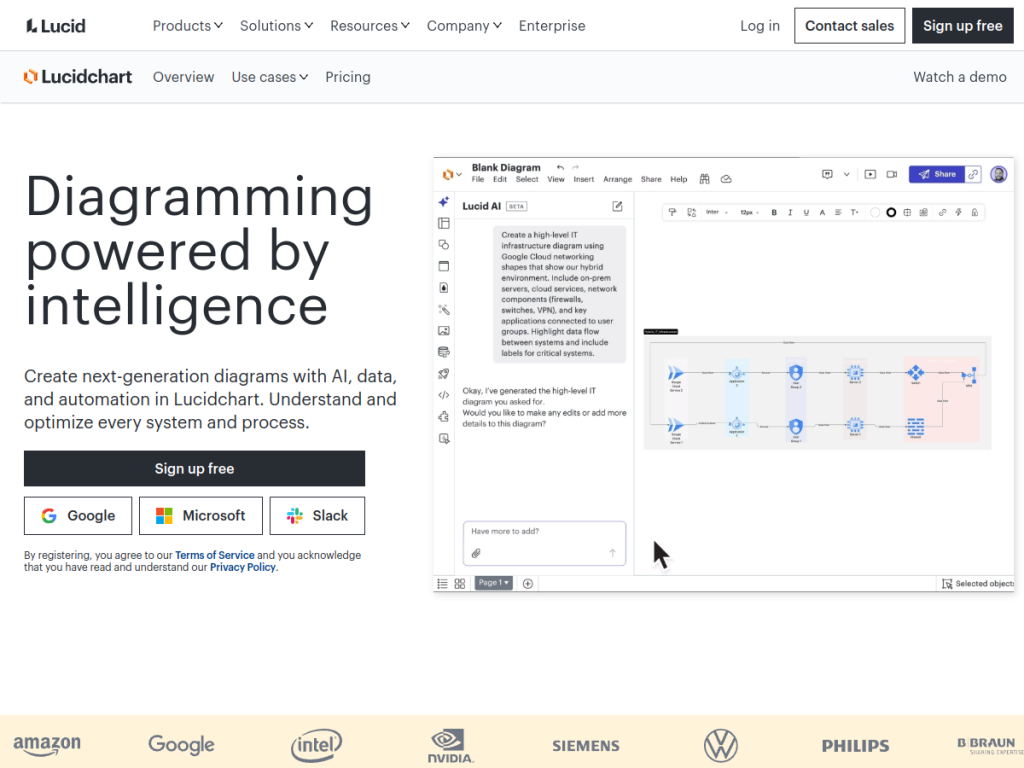
- Its AI can generate diagrams from text prompts and data.
- Great for teams visualizing processes, systems, and ideas.
Lucidchart is a widely used diagramming tool for turning ideas, processes, and systems into clear visuals — flowcharts, org charts, network diagrams, mind maps, and more. It has added AI that can generate diagrams from a text prompt or your data, so you can go from description to draft diagram quickly. With real-time collaboration and deep integrations, Lucidchart is a go-to choice for teams that think and communicate visually.
What is Lucidchart?
Lucidchart is an intelligent diagramming application from Lucid Software (part of the Lucid Suite) for creating flowcharts, org charts, network diagrams, mind maps, wireframes, UML, and other visuals. It offers a drag-and-drop canvas, extensive shape libraries and templates, real-time collaboration so teams can work together, and integrations with tools like Google Workspace, Microsoft, Slack, Atlassian, and more. Its AI capabilities let you generate diagrams from text prompts and turn data into diagrams — speeding up the first draft — alongside features for importing data to build charts automatically. Lucidchart is used for process mapping, system and network design, org planning, and brainstorming across many industries. It offers a free plan with a limited number of documents, plus paid Individual, Team, and Enterprise plans that add more documents, shapes, and advanced features.
What it does well
- Versatile diagrams: flowcharts, org charts, networks, and more.
- AI diagramming: generate diagrams from text or data.
- Real-time collaboration: teams build diagrams together.
- Well integrated: Google, Microsoft, Slack, and Atlassian.
Who it is for
Lucidchart fits teams and professionals — from engineers and IT to product managers, operations, and educators — who need to visualize processes, systems, and ideas clearly and collaborate on diagrams in real time, now with AI to speed up the first draft. Its integrations suit teams working across Google, Microsoft, and Atlassian tools. Individuals with only occasional, simple diagram needs may use free basics, and AI-generated diagrams need refining, but for versatile, collaborative diagramming with AI assistance, Lucidchart is a capable, well-established choice with a free plan.
Things to keep in mind
- AI-generated diagrams are a starting point and usually need refining.
- The free plan limits the number of documents.
- Advanced shapes and features require paid plans.
Our verdict
Lucidchart is a leading diagramming tool, and its versatility is the draw: build flowcharts, org charts, network diagrams, mind maps, and more on a drag-and-drop canvas, collaborate in real time, and integrate with Google, Microsoft, Slack, and Atlassian. Its AI, which generates diagrams from text prompts or data, gives you a fast first draft to refine. AI diagrams need cleanup and the free plan is document-limited, but for versatile, collaborative visualization with AI assistance, Lucidchart is an excellent, free-to-start choice.
Frequently asked questions
What is Lucidchart?
Lucidchart is a diagramming and visualization tool for building flowcharts, org charts, network diagrams, and more, with real-time collaboration and AI diagram generation.
Does Lucidchart have AI?
Yes, Lucidchart’s AI can generate diagrams from text prompts and turn data into diagrams, giving you a fast first draft to refine.
Is Lucidchart free?
Lucidchart offers a free plan with a limited number of documents, plus paid Individual, Team, and Enterprise plans with more documents and features.
What does Lucidchart integrate with?
It integrates with Google Workspace, Microsoft, Slack, Atlassian, and other tools.
Top Lucidchart alternatives
Other hand-reviewed Productivity tools worth comparing against Lucidchart.
Abnormal SecurityPaid
Abnormal Security by Abnormal AI is a paid AI business and productivity tool for business teams. Our review…
Adobe Acrobat AIFreemium
Adobe Acrobat AI is a freemium AI business and ocr tool for document-heavy teams. Our review covers what…
AirtableFreemium
Airtable is a freemium AI business and productivity tool for knowledge workers. Our review covers what it does,…
AlmanacPaid
Almanac is a paid AI business and productivity tool for knowledge workers. Our review covers what it does,…
AsanaFreemium
Asana is a freemium AI business and productivity tool for knowledge workers. Our review covers what it does,…
Automation AnywherePaid
Automation Anywhere is a paid AI business and productivity tool for business teams. Our review covers what it…
Are you the maker of Lucidchart?
Show visitors this review with the badge below. Copy the code into your site or press kit; it links straight back to this page.



