Key Takeaways
- Microsoft Designer is an AI-powered graphic design app from Microsoft.
- It generates designs, images, and social posts from text prompts.
- It offers templates, AI image generation, and quick edits.
- Great for quickly creating polished graphics without design skills.
Microsoft Designer is an AI-powered graphic design app that helps anyone create polished visuals fast. Describe what you want — a social post, invitation, or graphic — and it generates designs you can customize, complete with AI-generated images. Backed by Microsoft and integrated with its ecosystem, it brings quick, AI-assisted design to everyday users who do not have (or want) a professional design tool.
What is Microsoft Designer?
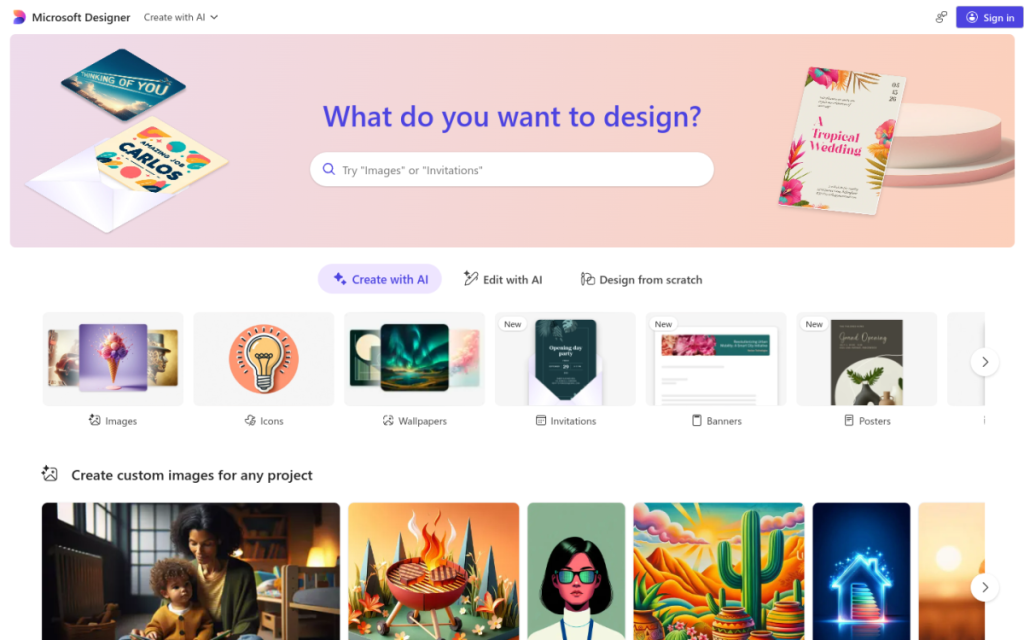
Microsoft Designer is an AI-powered graphic design app from Microsoft, built to create stunning designs quickly. It generates designs from text prompts, so you can describe the graphic, social post, invitation, or visual you need and get editable results, and it includes AI image generation to create custom images for your designs. It offers a large library of templates, quick tools for resizing and restyling, and AI-assisted editing to tweak layouts, text, and images. Designer is available on the web and mobile and integrates with the Microsoft ecosystem, making it easy to create visuals for social media, marketing, events, and personal projects. It is free to use with generous limits, while more AI generation (via boosts) and premium features are tied to a Microsoft 365 subscription.
What it does well
- AI generation: create designs and images from a prompt.
- Easy for anyone: no design skills needed to get polished results.
- Templates and tools: quick resizing, restyling, and edits.
- Backed by Microsoft: web and mobile, with 365 integration.
Who it is for
Microsoft Designer fits everyday users, small business owners, social media creators, and marketers who want to create polished graphics — social posts, invitations, promos — quickly and without professional design software, especially those already in the Microsoft ecosystem. Its AI generation and templates make it approachable for non-designers. Professional designers needing precise, advanced control will still use dedicated tools, and AI-generated visuals should be reviewed, but for fast, easy, AI-assisted graphic design, Microsoft Designer is a capable, free-to-start choice.
Things to keep in mind
- AI-generated designs and images should be reviewed and refined.
- Heavier AI generation and premium features tie to Microsoft 365.
- Professionals needing precise control may prefer dedicated design tools.
Our verdict
Microsoft Designer is a capable, approachable AI design app, and its strength is speed for non-designers: describe a social post, invitation, or graphic and it generates editable designs, complete with AI-generated images, plus templates and quick editing tools. Backed by Microsoft, available on web and mobile, and integrated with 365, it brings AI-assisted design to everyday users. AI visuals need a review and heavier use ties to a 365 subscription, but for quickly creating polished graphics without design skills, Microsoft Designer is a solid, free-to-start choice.
Frequently asked questions
What is Microsoft Designer?
Microsoft Designer is an AI-powered graphic design app from Microsoft that generates designs, images, and social posts from text prompts, with templates and AI editing.
Is Microsoft Designer free?
Microsoft Designer is free to use with generous limits; more AI generation (boosts) and premium features come with a Microsoft 365 subscription.
What can Microsoft Designer make?
It creates social media posts, invitations, promos, and graphics, and can generate custom AI images for your designs.
Who is Microsoft Designer for?
It is for everyday users, small businesses, and creators who want to make polished graphics quickly without professional design software.
Top Microsoft Designer alternatives
Other hand-reviewed Image Generation tools worth comparing against Microsoft Designer.
Adobe FireflyFreemium
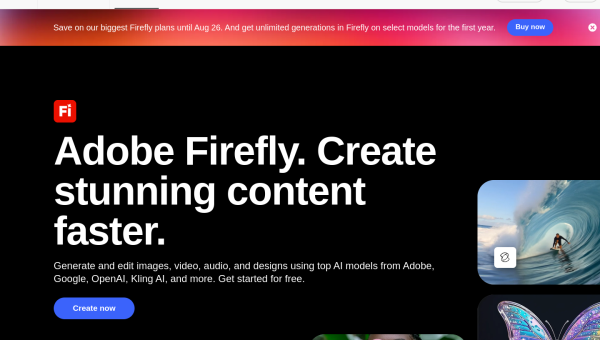
Adobe Firefly is a freemium AI design and image generation tool for creatives and visual artists. Our review…
ArtbreederFreemium
Artbreeder is a freemium AI design and image generation tool for creatives and visual artists. Our review covers…
ArtguruFreemium
Artguru is a freemium AI design and image generation tool for creatives and visual artists. Our review covers…
Automatic1111Free
Automatic1111 is a free AI design and image generation tool for creatives and visual artists. Our review covers…
BigJPGFree
BigJPG is a free AI design and image generation tool for creatives and visual artists. Our review covers…
Canva AIFreemium
Canva AI is a freemium AI design and image generation tool for designers. Our review covers what it…
Are you the maker of Microsoft Designer?
Show visitors this review with the badge below. Copy the code into your site or press kit; it links straight back to this page.