Key Takeaways
- Jamie is a privacy-focused AI meeting notetaker that works without a bot.
- It records and transcribes meetings in 100+ languages, no bot joining calls.
- It generates structured summaries, action items, and searchable notes.
- Great for professionals who want automatic notes without bots in every call.
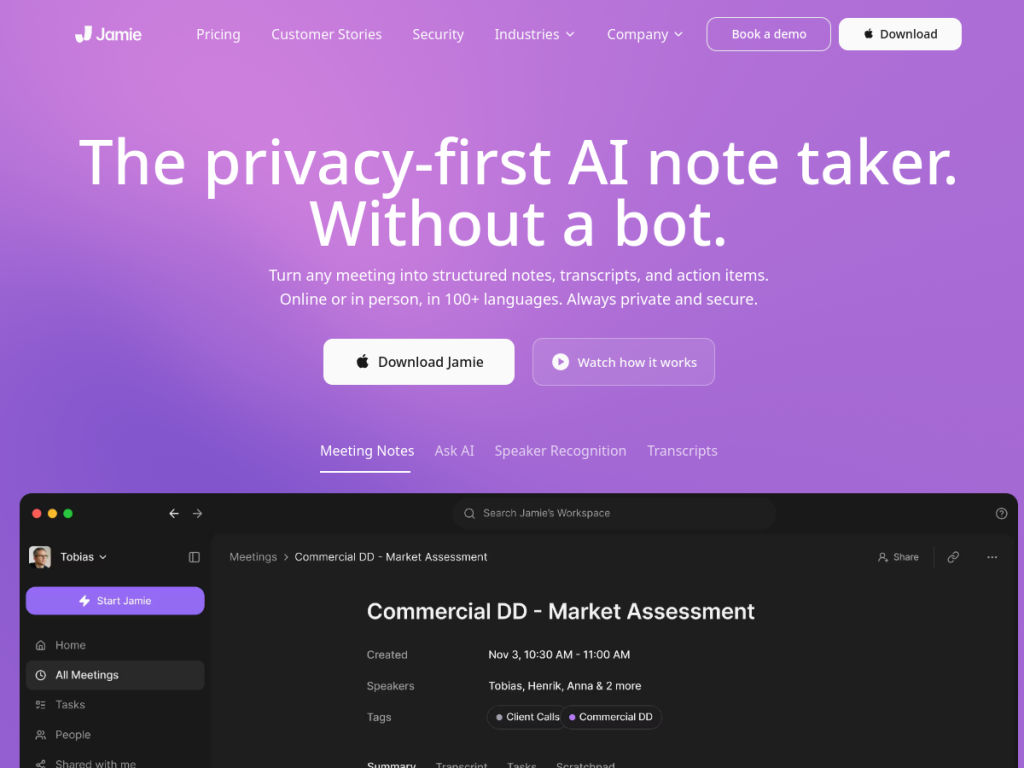
Jamie is an AI meeting notetaker with a distinctive approach: it works without sending a bot to join your calls. It captures and transcribes your meetings — online, hybrid, or in person — in over a hundred languages, then generates structured notes, summaries, and action items you can search later. For professionals who find meeting bots intrusive or awkward, Jamie’s bot-free, privacy-minded design is a genuine draw.
What is Jamie?
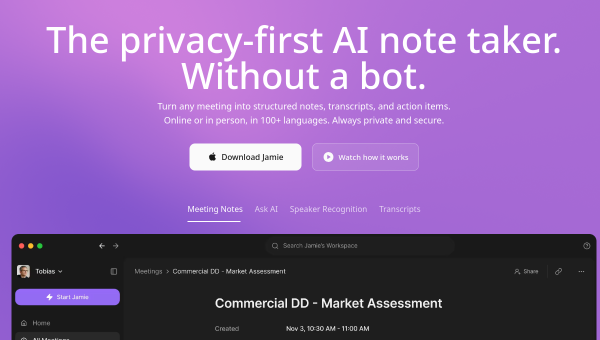
Jamie is a privacy-focused AI note-taking application that records and transcribes meetings without requiring a bot to join calls, operating across online, hybrid, and in-person meetings in over 100 languages. Its features include automatic note generation with structured summaries and action items, multi-language support, speaker recognition with automatic labeling and memory, and meeting search that lets you query across your conversation history with AI. It integrates with workflow tools including Notion, Google Docs, OneNote, and HubSpot. On privacy, Jamie emphasizes GDPR compliance with EU hosting and states it does not train models on customer data, and its no-bot design means it works invisibly without joining meetings — a differentiator from notetakers that appear as a participant. Jamie offers a free option with limits and paid plans for more usage and features.
What it does well
- No bot: captures meetings without joining as a participant.
- Structured notes: summaries and action items automatically.
- Multilingual: works in 100+ languages with speaker recognition.
- Privacy-minded: GDPR, EU hosting, and no training on your data.
Who it is for
Jamie fits professionals, managers, consultants, and teams who take a lot of meetings — online, hybrid, or in person — and want automatic, well-structured notes and action items without a bot visibly joining every call, and who value privacy. Its no-bot, GDPR-focused design especially suits those in sensitive or client-facing settings. People who only rarely meet, or who prefer a fully integrated suite’s built-in notes, may not need it, and AI notes should be reviewed, but for private, bot-free AI meeting notes across languages, Jamie is a capable, free-to-start choice.
Things to keep in mind
- AI-generated notes and transcripts should be reviewed for accuracy.
- More usage and features require paid plans beyond the free option.
- Capturing in-person meetings depends on device audio setup.
Our verdict
Jamie is a strong AI meeting notetaker with a genuinely differentiating design: it works without sending a bot to join your calls, capturing and transcribing meetings in over 100 languages and generating structured summaries, action items, and searchable notes. Its privacy focus — GDPR compliance, EU hosting, and no training on your data — makes it especially appealing for sensitive or client work, and integrations with Notion, Google Docs, and HubSpot fit real workflows. AI notes need a review and heavier use is paid, but for private, bot-free meeting notes, Jamie is an excellent, free-to-start choice.
Frequently asked questions
What is Jamie?
Jamie is a privacy-focused AI meeting notetaker that records and transcribes meetings in 100+ languages without a bot joining calls, generating structured summaries and action items.
How is Jamie different from other notetakers?
Jamie works without a bot, so it does not appear as a participant in your meetings; it captures audio invisibly and works across online, hybrid, and in-person meetings.
Is Jamie private?
Jamie emphasizes GDPR compliance with EU hosting and states it does not train models on customer data.
Is Jamie free?
Jamie offers a free option with limits and paid plans for more usage and features.
Top Jamie alternatives
Other hand-reviewed AI Meeting Assistants tools worth comparing against Jamie.
CirclebackFree Trial
Circleback is a free trial AI meeting tool. Our hands-on review covers features, pricing, pros and cons, and…
FellowFree
Fellow is a free AI meeting tool. Our hands-on review covers features, pricing, pros and cons, and who…
GrainFreemium
Grain is a freemium AI meeting tool. Our hands-on review covers features, pricing, pros and cons, and who…
LaxisFree
Laxis is a free AI meeting tool. Our hands-on review covers features, pricing, pros and cons, and who…
SemblyFree Trial
Sembly is a free trial AI meeting tool. Our hands-on review covers features, pricing, pros and cons, and…
SpinachFree Trial
Spinach is a free trial AI meeting tool. Our hands-on review covers features, pricing, pros and cons, and…
Are you the maker of Jamie?
Show visitors this review with the badge below. Copy the code into your site or press kit; it links straight back to this page.