Key takeaways
- Photomath scans math problems with your camera and shows step-by-step solutions and explanations.
- It covers elementary through college math, offers multiple solution methods, and includes a smart calculator.
- It is designed for learning — the steps teach the method — but can be misused to simply copy answers.
- A powerful learning aid used honestly; verify complex answers and use the steps to understand, not just to submit.
What Photomath is
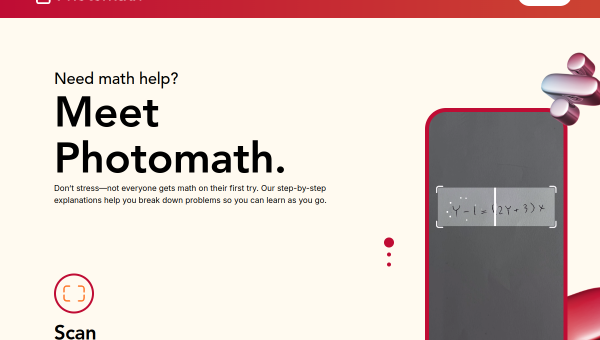
Photomath is a hugely popular mobile app that solves math problems from a photo. Point your camera at a printed or handwritten problem — from arithmetic through algebra, calculus and beyond — and it recognises it and produces a step-by-step solution with explanations. It also includes a smart calculator for typing problems in manually, and often shows multiple methods for solving the same problem. Owned by Google and used by millions of students, it is one of the best-known AI education tools.
Its stated purpose is learning, not just answers: the value is in the step-by-step breakdowns that show how to reach a solution, so students can understand the method and apply it themselves. For anyone stuck on a math problem with no one to ask, Photomath acts like a patient tutor available any time — a genuinely helpful resource when used to understand rather than to shortcut.
The AI features and honest use
Photomath’s AI performs two impressive tasks: recognising math problems from images (including word problems and handwriting) and generating clear, step-by-step solutions with explanations of each step. The multiple-methods feature helps students see different approaches, and the smart calculator handles manual input. A free tier provides step-by-step explanations, with subscriptions unlocking more.
The honest caveats matter here. First, accuracy: while strong, AI math solvers can occasionally misread a problem or make an error, so verify important or complex answers rather than trusting blindly. Second, and more importantly, academic integrity: a tool that instantly solves homework can be misused to copy answers without learning, which ultimately hurts the student and may violate school rules. Photomath is genuinely valuable when used as intended — to learn the method by working through the steps — and counterproductive when used to avoid learning. The steps are the point; the answer alone is not.
Strengths and limits
The strengths are convenience, clarity and coverage. Instantly turning a photographed problem into a clear, step-by-step explanation across a wide range of math is genuinely useful for learning, and multiple solution methods deepen understanding. Free access to explanations lowers the barrier.
The limits: AI can misread or err, so verify complex problems; it covers math specifically, not other subjects; and, crucially, its power to give instant answers invites misuse that undermines learning. Some features require a subscription. Its value depends heavily on how it is used — as a tutor or as a crutch.
Who it suits
- Students who want to understand how to solve math problems step by step.
- Learners stuck without a tutor who need guided, on-demand math help.
- Anyone reviewing math methods who benefits from multiple solution approaches.
Verdict
Photomath is a powerful AI math tutor that scans problems and explains solutions step by step across a wide range of math — genuinely helpful for understanding methods when no tutor is available. Its value hinges entirely on honest use: worked through to learn, it is excellent; used to copy answers, it undermines the very learning it can support and may break school rules. Verify complex answers, treat the steps as the real value, and Photomath is one of the most useful learning aids for math students.
Top Photomath alternatives
Other hand-reviewed Education tools worth comparing against Photomath.
Ada HealthFree
Ada Health is a free AI education and healthcare tool for healthcare providers. Our review covers what it…
Buoy HealthFree
Buoy Health is a free AI education and healthcare tool for healthcare providers. Our review covers what it…
ChatPDFFreemium
ChatPDF is a freemium AI education and pdf-tool tool for document-heavy teams. Our review covers what it does,…
Connected PapersFreemium
Connected Papers is a freemium AI education and research tool for researchers. Our review covers what it does,…
Coursera AIFreemium
Coursera AI is a freemium AI business and education tool for students and educators. Our review covers what…
Duolingo MaxFreemium
Duolingo Max is a freemium AI education and translation tool for students and educators. Our review covers what…
Are you the maker of Photomath?
Show visitors this review with the badge below. Copy the code into your site or press kit; it links straight back to this page.



