Key Takeaways
- Nitro is a document platform for PDF editing, e-signatures, and automation.
- AI features include Smart Redact, form and table extraction, and a document assistant.
- It positions itself as a unified, cost-effective alternative to bigger suites.
- Solid for business document work; data is not used to train third-party AI.
Nitro is a document productivity platform built around PDFs, e-signatures, and workflow automation — a unified alternative to juggling several separate tools. It has added AI throughout, with features that redact sensitive data, extract information from forms and tables, and summarize or translate documents, while promising that your documents are never retained or used to train outside AI models.
What is Nitro PDF?
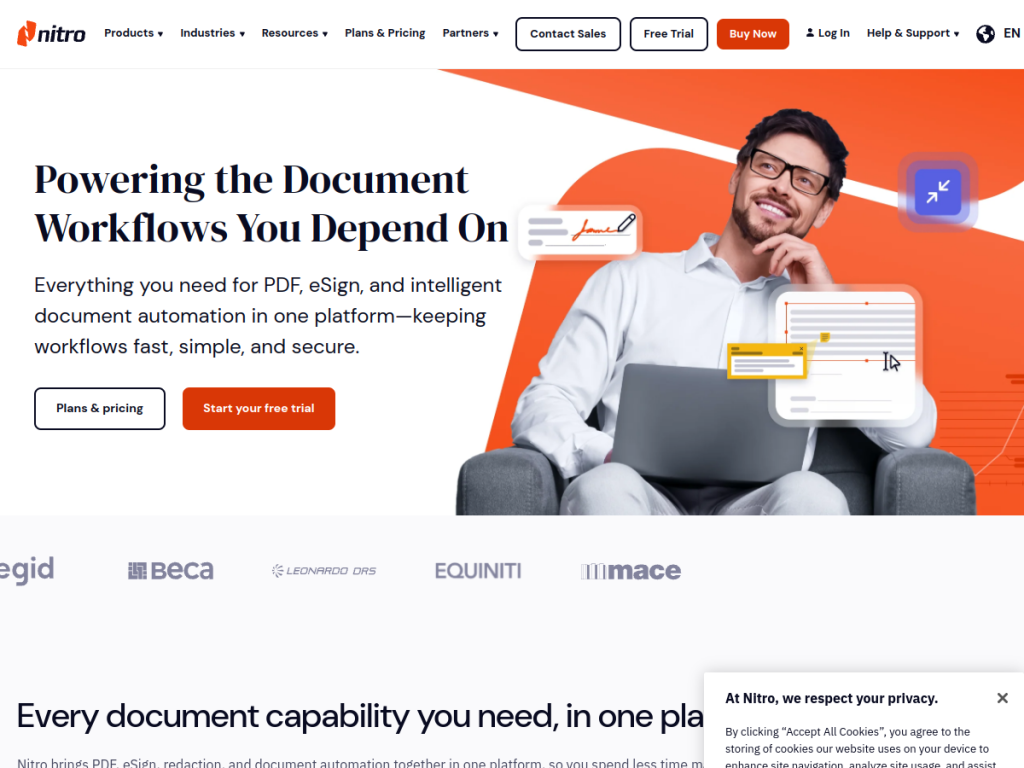
Nitro is a document management platform combining PDF editing, electronic signatures, and intelligent automation. Nitro PDF Pro lets you edit, convert, secure, and sign PDFs with annotation and OCR across Mac, Windows, and iOS, while Nitro Sign handles legally binding digital signatures with audit trails and compliance. Its AI-powered tools include Smart Redact, which uses natural-language processing to find and permanently remove sensitive information; Smart Form Extract and Smart Table Extract, which pull data from forms and turn PDF tables into Excel; a Document Assistant for summarization, translation, and search; and automatic field detection for signing. Nitro Automate brings these capabilities into existing workflows. Importantly, Nitro states that documents and data are never retained or used to train third-party AI models. It offers a 14-day free trial, subscription plans, and a one-time Classic license option.
What it does well
- Full PDF suite: edit, convert, secure, sign, and OCR across platforms.
- AI document tools: redaction, form/table extraction, and a document assistant.
- Privacy stance: data not retained or used to train outside AI models.
- Flexible licensing: subscription or a one-time Classic option.
Who it is for
Nitro suits businesses, teams, and individuals who work heavily with PDFs and documents and want editing, e-signatures, and AI-assisted data extraction in one platform — often as a more affordable alternative to larger document suites. Its privacy stance appeals to organizations handling sensitive information. Those needing only occasional basic PDF viewing can use free readers, but for real document work with an AI boost and clear data handling, Nitro is a strong option.
Things to keep in mind
- The AI features complement a solid PDF editor rather than being the whole product.
- Pricing spans separate products, so plan around what you actually need.
- Advanced editing has a short learning curve, as with any full PDF suite.
Our verdict
Nitro is a capable, business-focused document platform, and its AI additions — Smart Redact, form and table extraction, and a document assistant — solve genuinely tedious tasks while its clear stance on not retaining or training on your data is reassuring for sensitive work. As a unified, cost-effective alternative to bigger suites, it covers editing, signing, and automation well. The AI complements rather than defines it, and pricing spans a few products, but for organizations serious about document work, Nitro delivers solid value with a free trial to test.
Frequently asked questions
What is Nitro PDF?
Nitro is a document platform for PDF editing, e-signatures, and automation, with AI tools for redaction, form and table extraction, and document summarization and translation.
What AI features does Nitro have?
Nitro offers Smart Redact for finding and removing sensitive data, Smart Form and Table Extract, a Document Assistant for summarizing and translating, and automatic field detection.
Does Nitro use my documents to train AI?
No. Nitro states that documents and data are never retained or used to train third-party AI models.
Is Nitro free?
Nitro offers a 14-day free trial. PDF and Sign are subscription-based per user, with a one-time Classic license option available.
Top Nitro PDF alternatives
Other hand-reviewed PDF Tools tools worth comparing against Nitro PDF.
Adobe Acrobat AIFreemium
Adobe Acrobat AI is a freemium AI business and ocr tool for document-heavy teams. Our review covers what…
ChatPDFFreemium
ChatPDF is a freemium AI education and pdf-tool tool for document-heavy teams. Our review covers what it does,…
Foxit PDF EditorPaid
Foxit PDF Editor is a paid AI business and ocr tool for document-heavy teams. Our review covers what…
iLovePDFFreemium
iLovePDF is a freemium AI pdf-tool and productivity tool for document-heavy teams. Our review covers what it does,…
LightPDFFreemium
LightPDF is a freemium AI pdf-tool and productivity tool for document-heavy teams. Our review covers what it does,…
OCR.spaceFreemium
OCR.space is a freemium AI developer tool and ocr tool for operations teams. Our review covers what it…
Are you the maker of Nitro PDF?
Show visitors this review with the badge below. Copy the code into your site or press kit; it links straight back to this page.



