Key takeaways
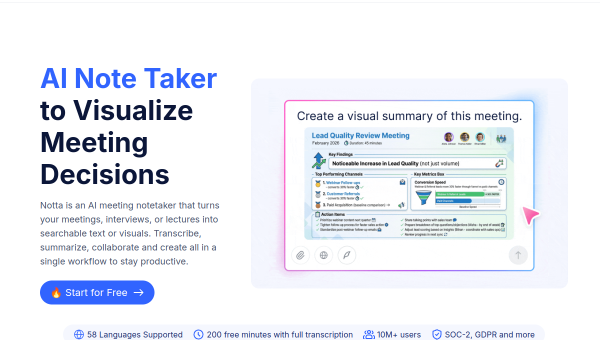
- Notta is an AI note taker that transcribes, summarises and extracts action items from meetings, interviews and recordings.
- It supports 58 languages, claims high transcription accuracy, and offers a free tier with a monthly minute allowance.
- Works with Zoom, Google Meet, Teams and more, and can generate summaries, insights and even slides or infographics.
- Strong for multilingual transcription; as with any AI notetaker, accuracy varies with audio quality and needs review.
What Notta is
Notta is an AI-powered note taker built around transcription. It records and transcribes meetings, interviews, lectures and audio recordings into searchable text, then summarises them and pulls out action items. It integrates with the major conferencing platforms — Zoom, Google Meet, Microsoft Teams — and works from uploaded audio and video too, which makes it useful beyond live meetings for things like recorded interviews and research.
Its standout characteristic is language breadth and accessibility: Notta supports around 58 languages and offers a free tier with a monthly transcription allowance, which has helped it reach a very large user base. For multilingual teams and individual professionals, that combination is a strong reason to try it.
The AI features
Notta transcribes with high claimed accuracy, generates AI summaries and smart insights, and extracts action plans from a conversation. More recently it has added the ability to turn transcripts into visuals — instant presentations and infographics — going a step past text output. It supports speaker identification, searchable transcripts and export to the tools teams already use.
Accuracy claims (Notta advertises very high transcription accuracy) hold up best with clean audio and clear speakers; heavy accents, crosstalk or noisy recordings degrade any speech-to-text system, so review remains necessary. AI summaries and extracted action items are conveniences to verify, not records to trust blindly, and generated slides or infographics are drafts that need editing.
Strengths and limits
The strengths are language coverage, accessibility and versatility. Handling 58 languages and both live and uploaded audio makes Notta a flexible transcription workhorse, and the free minutes make it easy to adopt for individuals. The move into visuals adds output options most notetakers lack.
The limits are shared across the category: transcription accuracy depends on audio quality, auto-recording carries consent obligations, and AI summaries can miss nuance. The free tier’s minute cap means heavy users will need a paid plan. None of these are dealbreakers, but they set the right expectation — Notta is an excellent assistant, not an infallible court reporter.
Who it suits
- Multilingual teams and professionals who need transcription across many languages.
- Researchers and journalists transcribing recorded interviews, not just live calls.
- Individuals who want a capable free notetaker with the option to scale up.
Verdict
Notta is a strong, accessible AI note taker that stands out for its language breadth and flexible handling of both live meetings and uploaded recordings. Its summaries, action items and new visual outputs save real time, and the free tier makes it easy to trial. Keep expectations realistic about transcription accuracy on messy audio, respect recording consent, and verify summaries before acting — and Notta is a dependable transcription tool for multilingual and research-heavy work.
Top Notta alternatives
Other hand-reviewed AI Productivity tools worth comparing against Notta.
AkiflowPaid
Akiflow is a paid AI productivity tool. Our hands-on review covers features, pricing, pros and cons, and who…
AmieFreemium
Amie is a freemium AI productivity tool. Our hands-on review covers features, pricing, pros and cons, and who…
Any doFree Trial
Any do by Any.do is a free trial AI productivity tool. Our hands-on review covers features, pricing, pros…
AudioPenPaid
AudioPen is a paid AI productivity tool. Our hands-on review covers features, pricing, pros and cons, and who…
BricksFree Trial
Bricks is a free trial AI productivity tool. Our hands-on review covers features, pricing, pros and cons, and…
CodaFree Trial
Coda is a free trial AI productivity tool. Our hands-on review covers features, pricing, pros and cons, and…
Are you the maker of Notta?
Show visitors this review with the badge below. Copy the code into your site or press kit; it links straight back to this page.