Key takeaways
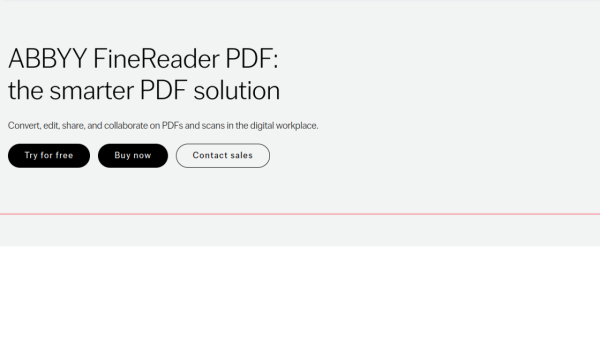
- ABBYY FineReader PDF is a desktop PDF editor built on ABBYY’s AI-based OCR, combining editing, conversion, document comparison and organisation.
- It turns scans and PDFs into editable Word, Excel and searchable PDF files, and can compare two versions of a document even across different formats.
- It targets professionals and businesses handling volumes of paper and PDF documents, sold through per-seat and volume licensing.
- OCR quality is strong but not perfect — poor scans, complex layouts and handwriting still need human proofreading.
What ABBYY FineReader is
ABBYY FineReader PDF is a desktop application that pairs a full PDF editor with ABBYY’s optical character recognition (OCR) engine. Where a plain PDF tool lets you annotate and rearrange pages, FineReader adds the ability to turn scanned images and photographs of documents into editable, searchable text. You can create and edit PDFs, build and fill forms, protect files with passwords and redaction, and export to Word, Excel, PowerPoint and other formats. ABBYY has decades of history in document recognition, and OCR remains the product’s defining strength.
The tool is positioned for the digital workplace: digitising archives, making paper documents searchable, converting reports for reuse, and comparing contract versions. It runs primarily on Windows, with a more limited Mac edition, and is sold through per-seat licences with volume options for organisations rather than as a purely cloud subscription.
The OCR engine and where it shines
FineReader’s OCR recognises text in many languages and preserves document structure — tables, columns and formatting — when converting to editable files. A standout feature is document comparison: it can compare two versions of the same document even when they are in different formats, such as a Word draft against a signed PDF, and highlight the textual differences, which is genuinely useful for legal and compliance work. Batch processing and a “Hot Folder” automation let teams convert documents at scale.
The AI framing is accurate but should be read plainly: this is mature, specialised machine learning for character recognition and layout analysis, not a generative assistant. That focus is a strength — the engine is reliable on clean scans and printed text. But OCR is never perfect. Poor-quality scans, unusual fonts, complex multi-column layouts and handwriting all reduce accuracy, and converted files should be proofread before you rely on them. Treat the output as a strong first pass, not a finished document.
Strengths and limits
The strengths are recognition quality, format fidelity and the document-comparison feature, which together make FineReader more than a PDF annotator. For organisations digitising paper or repurposing locked-up content, the conversion accuracy and batch tools save real time, and the redaction and protection features suit regulated environments.
The limits are platform and pricing. The full feature set is Windows-first, the Mac version is narrower, and licensing is a per-seat purchase that costs more than lightweight PDF apps or free online converters — justified only if you genuinely need the OCR and comparison depth. And, as with any OCR, accuracy depends on input quality, so human review stays part of the workflow.
Who it suits
- Businesses digitising archives or converting scanned documents at scale.
- Legal, finance and compliance teams needing reliable document comparison and redaction.
- Professionals who regularly turn PDFs and scans into editable Word or Excel files.
Verdict
ABBYY FineReader PDF is one of the most capable OCR-driven PDF tools available, combining accurate text recognition, faithful conversion to editable formats, and a standout cross-format document-comparison feature within a full PDF editor. It earns its place for businesses and professionals who work with volumes of scanned and paper documents, where its recognition quality and batch automation save meaningful time. The trade-offs are honest ones: it is Windows-centric, priced above casual PDF apps, and — like all OCR — dependent on input quality, so converted files still need a proofread. If you need serious document digitisation rather than simple PDF markup, it is a strong, well-established choice.
Top ABBYY FineReader alternatives
Other hand-reviewed OCR tools worth comparing against ABBYY FineReader.
Adobe Acrobat AIFreemium
Adobe Acrobat AI is a freemium AI business and ocr tool for document-heavy teams. Our review covers what…
AWS TextractPaid
AWS Textract by Amazon Web Services is a paid AI business and ocr tool for operations teams. Our…
Azure AI VisionPaid
Azure AI Vision by Microsoft Azure is a paid AI business and ocr tool for operations teams. Our…
DocparserPaid
Docparser is a paid AI business and ocr tool for operations teams. Our review covers what it does,…
DocsumoPaid
Docsumo is a paid AI business and ocr tool for operations teams. Our review covers what it does,…
DocuWareEnterprise
DocuWare is an enterprise AI automation and business tool for operations teams. Our review covers what it does,…
Are you the maker of ABBYY FineReader?
Show visitors this review with the badge below. Copy the code into your site or press kit; it links straight back to this page.



